Making The Amazing Beats and Rhythms: 4 Online Teaching Resources for Music
Table of Contents
Online Teaching Resources: Most primary teachers are not music specialists, but the UK National Curriculum requires all children in Key Stages 1 and 2 to create, compose, and perform. That gap between requirement and confidence is where digital music tools have quietly become classroom essentials. Free, browser-based resources now let any teacher, regardless of musical background, lead a lesson where children experiment with pulse, layer rhythms, and hear their compositions play back in real time.

LearningMole, a UK educational platform providing curriculum-aligned resources for primary schools, has seen growing interest in music technology content as schools look for practical ways to meet composition objectives without specialist equipment.
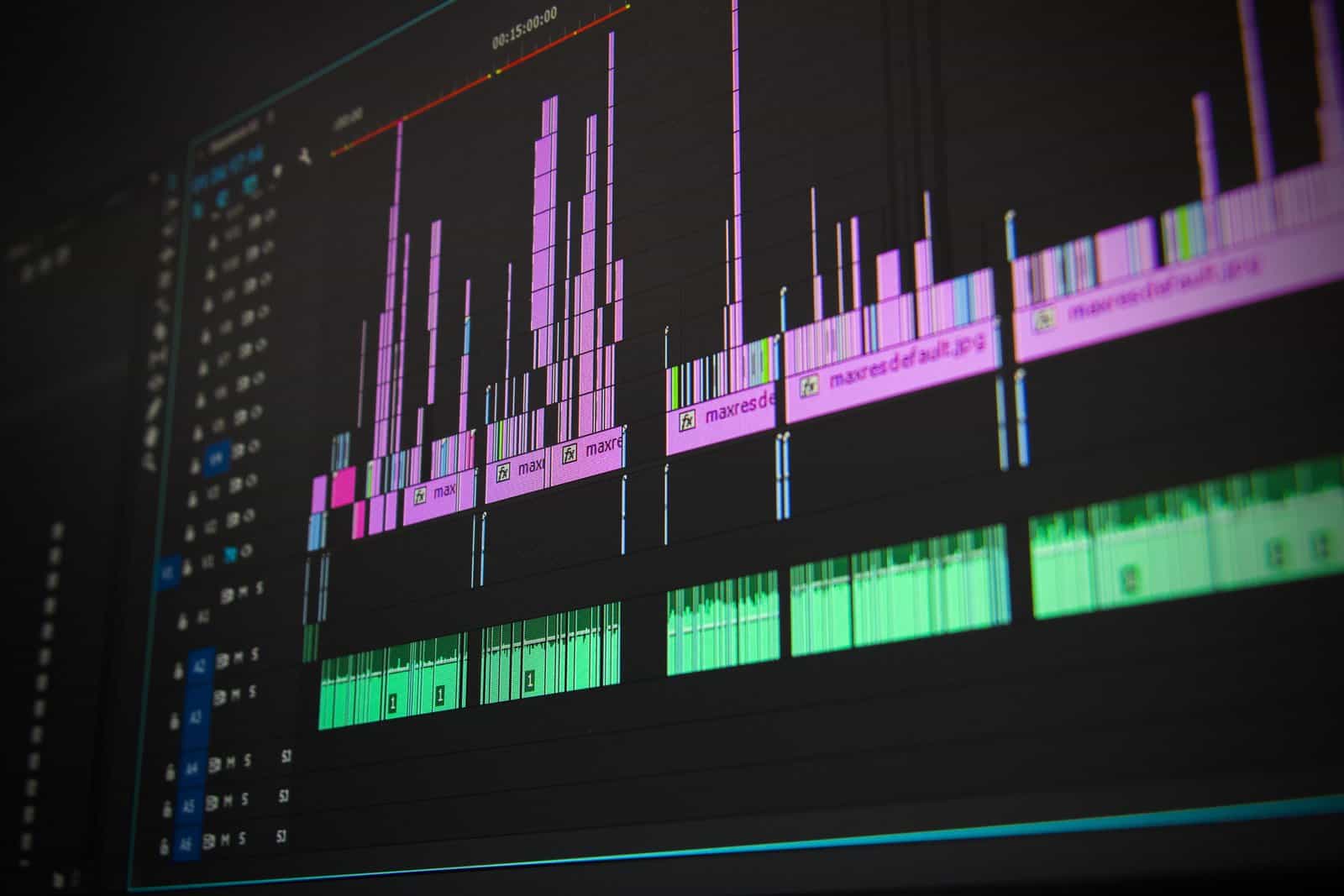
Understanding the difference between pulse and rhythm is the bedrock of musical literacy, and it is something many children find difficult to grasp from words alone. Pulse is the steady heartbeat of a piece of music; rhythm is the pattern of long and short sounds laid across that beat. Digital beat-making tools make this distinction visible: children can watch the grid light up, hear the kick drum on every beat, and then layer their own snare pattern on top. That visual, immediate feedback achieves in minutes what traditional notation teaching can take weeks to establish.
This guide covers four free digital resources that work in UK primary classrooms, maps each one to National Curriculum objectives for KS1 and KS2, and gives classroom activity ideas alongside home learning suggestions for parents. Each tool has been selected because it runs in a web browser, requires no software installation, and is accessible on the devices most UK schools already have: Chromebooks, iPads, and Windows laptops.
Why Digital Beat-Making Belongs in the Primary Classroom

Digital music tools are not a shortcut around real musicianship. They are a legitimate entry point to musical literacy, particularly for children who find traditional notation abstract or who do not yet have access to an instrument.
The UK National Curriculum for Music requires pupils to use their voices and bodies, as well as tuned and untuned percussion, as their primary instruments, and to experiment with, create, select, and combine sounds using various resources. Digital tools fall squarely within that mandate. A child who uses Chrome Music Lab to build a four-beat rhythm grid is doing the same cognitive work as one who taps a drum: they are internalising pulse, making rhythmic choices, and listening critically to the result.
There is also a strong inclusion argument. Visual, click-based tools remove barriers for children with fine motor difficulties who struggle with physical instruments, and for neurodivergent learners who benefit from seeing the pattern as well as hearing it. “Children learn best when they can see concepts in action,” says Michelle Connolly, Founder of LearningMole and former teacher with over 15 years of classroom experience. “Music technology lets us show pulse and rhythm as a living, visual pattern rather than an abstract set of symbols on a page, and that changes everything for children who’ve been struggling to connect notation with sound.”
1. Chrome Music Lab: The Best for Visualising Rhythm

Chrome Music Lab is the natural starting point for KS1 and lower KS2 because it makes rhythm immediately visible. Built by Google and available for free at musiclab.chromeexperiments.com, it requires no login or download and works on any device with a browser. The ‘Rhythm’ experiment is the most directly useful for primary music: children build a two-bar grid by clicking cells to place sounds, then press play to hear their pattern loop. The visual feedback is instant; each active cell lights up as the playhead passes it, so children can see and hear their rhythm simultaneously.
Key Features and Classroom Application
The Rhythm experiment uses three rows: high, mid, and low. This maps directly to the concept of layered percussion that non-specialist teachers can introduce without needing to name specific instruments. In practice, treat the rows as: high = shaker or woodblock, mid = snare, low = bass drum. Ask children to first create a steady pulse by filling in every beat on the low row, then experiment with adding accents on the mid row before overlaying a more complex pattern on the high row.
The Spectrogram and Song Maker experiments extend to the work on KS2 composition. Song Maker allows children to build short melodic phrases alongside a rhythm track, creating a full composition they can share via a generated link — useful for portfolio evidence without any file management.
Best For: Early Years and KS1 (Ages 4–7)
Classroom Activity: The Human Drum Kit Warm-Up
Before opening Chrome Music Lab, do this 5-minute physical activity:
- Ask the class to clap a steady beat together (establish the pulse).
- While half the class keeps clapping, ask the other half to add a clap on beats 2 and 4 only.
- Introduce a third group patting knees on a different pattern.
- Then open the Rhythm experiment and ask children to recreate their body percussion pattern on the grid.
Why this works: Children arrive at the tool having already understood the concept physically. The digital tool then becomes a notation and playback tool, not a novelty.
SEND adaptation: For children with fine motor difficulties, use a large touchscreen or pair with a peer who handles the clicking. The listening and decision-making are the learning objectives, not the physical interaction.
Home learning tip: Chrome Music Lab works on any home device with a browser. Ask parents to do the clapping warm-up at the kitchen table before letting children explore independently.
2. Groove Pizza: Understanding Circular Rhythm and Fractions

Groove Pizza, developed by the NYU Music Experience Design Lab, represents rhythm as a pizza divided into slices rather than a linear grid. This circular model maps directly to how music actually works; a four-beat bar is a circle that loops back to the beginning. Children who have been introduced to fractions in maths immediately recognise the visual language: the whole pizza is the bar, each slice is a part, and the toppings (sounds) go on individual slices.
Cross-Curricular Link: Music and Maths
This is the most explicitly cross-curricular tool in the list. A child dividing a pizza into 8 equal slices to understand eighth notes is practising the same skill as dividing a shape into equal parts in Year 2 maths. Teachers covering the KS2 National Curriculum objective on ‘understanding of notation’ can use Groove Pizza to show how symbols represent time duration before introducing written notation, giving children a visual and auditory anchor that makes the abstract less abstract.
The interface includes pre-loaded grooves (a basic four-on-the-floor pattern, a bossa nova rhythm, a reggae pattern) that teachers can load and analyse with the class before asking children to modify them. This worked-example approach is particularly effective with KS2 children who benefit from having something to interrogate before creating from scratch.
Classroom Activity: The Fraction Groove
Year group: KS2 (Years 3–6) | Links to: Maths (fractions), Music (notation, composition)
- Load one of Groove Pizza’s preset grooves and play it. Ask: how many times does the loop go round in 8 seconds?
- Count the slices together. Ask: if this pizza has 8 slices and we put a sound on every other slice, what fraction of beats have a sound? (Answer: 1/2)
- Challenge pairs to create a groove using exactly 1/4 of the beats, then 3/4 of the beats. Listen to the difference.
- Ask children to explain why more filled slices sounds busier (higher density = more rhythmic activity).
Assessment tip: Take a screenshot of each child’s completed pizza, this provides visual evidence of their composition without needing to export audio.
SEND adaptation: Use the pre-loaded grooves for children who find open creation overwhelming. Modify one element at a time rather than starting from a blank pizza.
Home learning tip for parents: Ask your child to find rhythms around the house, the washing machine, a dripping tap, footsteps, and try to represent them as pizza slices. This builds rhythmic thinking without needing a device.
3. Ableton Learning Music: Interactive Composition for Upper KS2

Ableton’s free Learning Music course is the most structured of the four tools, guiding learners through beats, notes, chords, basslines, and song structure in a sequence that mirrors how professional music producers think about composition. For upper KS2 (Years 5 and 6), it provides a genuine bridge between primary music-making and the kind of DAW (digital audio workstation) work children will encounter in KS3.
Stepping Stones to KS3 Music Production
The ‘Beats’ chapter is directly relevant to this article’s focus: children build a drum pattern using a step sequencer that looks and behaves very similarly to the industrial-standard tools used in music production. The key difference from Groove Pizza or Chrome Music Lab is that Ableton Learning Music introduces vocabulary: children learn what a ‘bar’, a ‘kick drum’, a ‘hi-hat’ and a ‘snare’ are, and they hear examples from real music to contextualise each concept.
Use it in Year 5 or Year 6 as a bridge between the exploratory work done with Chrome Music Lab in KS1/lower KS2 and the more analytical composition required by the KS2 National Curriculum objective on ‘using and understanding staff and other musical notations’. The text-based explanations are clear enough for children to work through independently, which makes it suitable for a guided independent task or a homework activity.
Classroom Activity: Build a 4-Bar Loop
Year group: Upper KS2 (Years 5–6) | Curriculum link: ‘Improvise and compose music for a range of purposes’ (KS2 Programme of Study)
- Work through the first ‘Beats’ chapter together as a class, using a projector or whiteboard.
- Ask children to note down: what is the purpose of the kick drum? The snare? The hi-hat?
- Pairs then build their own 4-bar drum loop, aiming to create two contrasting sections (verse and chorus feel).
- Pairs swap seats and analyse each other’s loop: which sounds are on the beat? Which are syncopated?
Assessment: Ask children to write 2–3 sentences describing the rhythmic choices they made and the effect they were aiming for. This written reflection evidences musical thinking as well as composition.
SEND adaptation: The Ableton interface includes written explanations alongside every interactive element — useful for children who benefit from reading instructions rather than listening to teacher talk. Pair with a peer if the written content is too complex.
Note for non-specialist teachers: You do not need to know what a DAW is to use this tool effectively. Read through the first chapter yourself before the lesson, 10 minutes of preparation is sufficient.
4. Drumbit: Mastering the Drum Machine

Drumbit (drumbit.app) is the most open-ended tool in this list. A browser-based drum machine with multiple sound kits, it gives children a blank 16-step sequencer and a set of percussion sounds, then gets out of the way. There is no tutorial, no guidance, no pre-loaded example, just a grid, a play button, and a tempo slider. This makes it ideal for children who have already worked through the more structured tools and are ready for genuine creative independence.
Practical Activity: Creating a 4-Bar Loop with Contrast
The pedagogical value of Drumbit lies in what the teacher brings to it. The tool itself is neutral; the teacher’s framing turns it into a curriculum activity. Open the session by asking children to name one rhythm they remember from a piece of music they know — a pop song, a video game theme, a film score. Ask them to clap it. Then set a challenge: recreate that rhythm in Drumbit, or create something that has the same energy.
The tempo slider introduces an important concept: the same rhythm pattern sounds completely different at 60 BPM versus 130 BPM. This is a practical way to introduce the musical concept of tempo and its emotional effect. A slow bass pattern feels heavy and calm; the same pattern at double speed feels urgent and energetic.
Classroom Activity: Soundscape Composition
Year group: KS2 (Years 3–6) | Curriculum link: ‘Experiment with, create, select and combine sounds’ (KS2 Programme of Study)
Challenge: Create two contrasting drum loops, one that sounds calm and spacious, one that sounds busy and energetic.
Constraints to give children (constraints improve creativity):
- The calm loop: use no more than 4 sounds per bar
- The energetic loop: use at least 10 sounds per bar, tempo above 120 BPM
Share and discuss: Play examples to the class. Ask listeners to guess which loop is ‘calm’ and which is ‘energetic’ before the creator reveals their intention. Discuss: what made it feel that way?
SEND adaptation: Provide a visual guide showing a suggested starting pattern for each type (a sparse 4-step grid for calm, a busier 12-step grid for energetic). Children can modify rather than create from scratch.
Home learning tip for parents: Drumbit works on any laptop or desktop browser. Ask your child to show you the two loops they made and explain what musical choices made one sound different from the other — this consolidates the learning through explanation.
National Curriculum Mapping: KS1 and KS2 Objectives

The four tools in this guide align directly with statutory music objectives across both key stages. The table below maps each resource to the specific curriculum language, so teachers can reference it in lesson plans and subject leaders can cite it in curriculum documentation.
| Tool | Key Stage | National Curriculum Objective | Specific Application |
|---|---|---|---|
| Chrome Music Lab (Rhythm) | KS1 | Use their voices and bodies, and musical instruments to perform | Pulse and rhythm visualisation; body percussion connection |
| Chrome Music Lab (Song Maker) | KS1 / Lower KS2 | Experiment with, create, select and combine sounds | Melodic and rhythmic composition; sharable portfolio evidence |
| Groove Pizza | KS2 | Use and understand staff and other musical notations | Melodic and rhythmic composition; shareable portfolio evidence |
| Groove Pizza | KS2 | Appreciate and understand a wide range of high-quality live and recorded music | Analysing pre-loaded grooves from world music traditions |
| Ableton Learning Music | Upper KS2 | Improvise and compose music for a range of purposes | Visual notation model: fractions and beat division |
| Ableton Learning Music | Upper KS2 | Use and understand staff and other musical notations | Structured composition with layered beats, basslines, and chords |
| Drumbit | KS2 | Experiment with, create, select and combine sounds | Open-ended rhythmic composition; tempo and dynamics exploration |
| All four tools | KS1 and KS2 | Listen with concentration and understanding to a range of high-quality music | Introduces DAW step-sequencer as a notation tool |
Choosing the Right Tool: A Quick Reference for Teachers
Different classes, year groups, and learning contexts call for different tools. Use this selector to choose the most appropriate starting point.
| Tool | Best Age Group | Device Compatibility | Cost | Curriculum Focus | Start Here If… |
|---|---|---|---|---|---|
| Chrome Music Lab | EYFS, KS1, Lower KS2 | iPad, Chromebook, PC, Mac | Free (no login) | Pulse, rhythm, basic composition | Children are new to digital music tools |
| Groove Pizza | KS2 (Years 3–6) | Chromebook, PC, Mac (best on desktop) | Free (no login) | Rhythm notation, fractions cross-link | You want a cross-curricular maths/music session |
| Ableton Learning Music | Upper KS2 (Years 5–6) | Chromebook, PC, Mac | Free (no login) | Composition, structure, music vocabulary | Children are ready for independent structured learning |
| Drumbit | KS2 (Years 3–6) | PC, Mac (desktop recommended) | Free tier available | Open composition, tempo, dynamics | Children are ready for independent, structured learning |
Teaching Resources and Support: Classroom and Home

LearningMole provides curriculum-aligned educational resources and video content for UK primary schools, supporting both classroom teachers and parents working with children at home. For music education, LearningMole’s resources connect the practical tool-based work described in this article to broader musical understanding, covering topics from rhythm and notation to the history and culture of music across the world. Browse the full LearningMole teaching resources library to find materials that complement your music lessons across key stages.
For home learners and parents, all four tools described in this article are free and accessible on home devices. If you are supporting your child’s music education at home, LearningMole’s educational video resources provide context and explanation alongside practical tools, helping children understand not just how to use them but also the musical concepts they are learning. LearningMole is a UK educational platform founded by Michelle Connolly, a former primary school teacher with over 15 years of classroom experience, and all content is aligned with the UK National Curriculum.
For teachers seeking to build a fuller music technology programme, the four tools in this article work best as a progression: start with Chrome Music Lab in KS1, introduce Groove Pizza in Years 3 and 4 for the cross-curricular fractions link, move to Ableton Learning Music in Years 5 and 6 for structured composition, and use Drumbit throughout KS2 whenever children need open creative time. This sequence gives children a clear journey from exploratory play to purposeful composition, matching the progression the National Curriculum demands.
Frequently Asked Questions

What is the difference between pulse and rhythm in music?
Pulse is the steady, unchanging heartbeat of a piece of music, the regular beat you tap your foot to. Rhythm is the pattern of long and short sounds placed across that pulse; it can be simple or complex, regular or syncopated. Many children (and non-specialist teachers) use these terms interchangeably, but keeping them distinct is important for musical literacy. A useful way to demonstrate the difference: clap a steady pulse (1, 2, 3, 4), then ask children to say their name in rhythm over the top. The pulse stays constant; the name creates a different rhythmic pattern each time. Chrome Music Lab’s Rhythm experiment visualises this clearly — the pulse is the speed of the playhead, the rhythm is the pattern of lit cells.
Is Chrome Music Lab free for schools?
Yes. Chrome Music Lab is completely free, requires no login or account, and runs directly in a web browser with no software to install. It works on Chromebooks, iPads, Windows and Mac computers. All 14 experiments are available without restriction. Schools do not need a Google Workspace account to access it, though some school network filters may need to whitelist musiclab.chromeexperiments.com if children cannot access it on the school network.
Can these tools be used on iPads?
Chrome Music Lab works well on iPad, including the Rhythm and Song Maker experiments. Groove Pizza and Ableton Learning Music work best on a desktop or laptop browser, as the interfaces are designed for mouse interaction though Groove Pizza is partially usable on iPad. Drumbit is designed primarily for desktop use. If your school is predominantly iPad-based, Chrome Music Lab is the most reliable choice; Drumbit and Groove Pizza work better when children have access to Chromebooks or laptops.
How do I assess music technology work?
Assessment in music technology can feel less tangible than in other subjects, but there are practical methods for each tool. Chrome Music Lab’s Song Maker generates a shareable link that captures the exact composition. Children can paste this link into a shared document or email it to the teacher for a permanent record. Groove Pizza does not generate a shareable link, but a screenshot of the completed pizza provides visual evidence of the rhythmic pattern. Ableton Learning Music does not save progress between sessions, so written reflection (ask children to describe their composition choices in 2–3 sentences) is the most practical evidence method. Drumbit patterns can be screenshotted or described verbally in a class discussion.
Which resource is best for children with SEND?
Chrome Music Lab is generally the most accessible for children with SEND, for several reasons. The visual feedback is immediate and clear — there is no need to read instructions or navigate menus. The interface is large, simple, and forgiving: clicking a cell either adds or removes a sound, with no complex controls. For children with visual processing difficulties, the high-contrast grid with clear colour changes on each beat is easier to parse than a circular interface like Groove Pizza. For children with fine motor challenges, Chrome Music Lab’s large click targets work well on touchscreens. All four tools remove the barrier of traditional instrument technique, which is a significant advantage for children who find physical instruments difficult.
Do these tools require a MIDI keyboard or music knowledge?
No. All four tools are designed for learners with no prior musical knowledge and no specialist equipment. A standard computer mouse or touchscreen is all that is needed. Teachers do not need to be musicians to lead sessions using these tools; the tools themselves provide the sound, feedback, and (in the case of Ableton Learning Music) the conceptual explanations. A short read-through of the relevant section of this guide before the lesson is sufficient preparation for a non-specialist teacher.
How does music technology link to the UK National Curriculum?
The National Curriculum for Music at KS1 and KS2 includes objectives around creating, composing, and performing with a range of resources and instruments. Digital tools fall within the ‘range of resources’ the curriculum describes, and the specific objectives around ‘experimenting with, creating, selecting and combining sounds’ apply directly to beat-making and composition activities. The KS2 objective to ‘use and understand staff and other musical notations’ can be addressed through Groove Pizza’s circular notation model and Ableton’s step-sequencer notation, both of which introduce notation as a representation of sound rather than an abstract symbol system.
How do these tools fit into a broader primary music curriculum?
Digital beat-making tools work best as one strand of a broader curriculum, not as a replacement for singing, listening, or working with physical instruments. A well-rounded primary curriculum includes regular singing, listening to live and recorded music across genres, working with percussion instruments, and learning basic related vocabulary. Digital tools add a compositional dimension that can be difficult to achieve with physical instruments alone, especially in non-specialist classrooms. Use them for one to two sessions per half-term as a composition strand, running alongside rather than instead of traditional activities.
Conclusion

The four tools in this guide, Chrome Music Lab, Groove Pizza, Ableton Learning Music, and Drumbit, give primary teachers a practical progression framework for technology that covers EYFS through to the end of KS2. None of them requires expertise, specialist hardware, or a school budget. What they do require is thoughtful teacher framing: the tools provide the sound and visual feedback, but the teacher provides the curriculum context, the vocabulary, and the challenge that turns play into learning.
The pulse-versus-rhythm distinction remains the most important concept to establish early. Children who understand that the steady beat is the foundation, and that rhythm is the creative pattern built on top of it, have a mental model that carries them through everything from KS1 clapping games to KS3 music production.
Digital tools make that distinction visible in a way that traditional approaches struggle to match, and that visual clarity has real value for the range of learners in any primary class, including those who find abstract notation challenging.
For teachers looking to build their curriculum further, LearningMole provides curriculum-aligned video resources and teaching materials for UK primary schools. Visit LearningMole’s teaching resources to explore content across all primary subjects, or browse the LearningMole YouTube channel for free educational videos aligned with the National Curriculum.
LearningMole is a UK educational platform founded by Michelle Connolly, a former primary school teacher with over 15 years of classroom experience, committed to helping teachers and parents provide high-quality learning experiences for children aged 4 to 11.


Leave a Reply