Best Education Apps: Learn From Screen Time
Table of Contents
Best Education Apps: Screen time gets a bad reputation, but the question was never really about the screen. It was always about what children were doing in front of it. For UK parents and teachers navigating a world where tablets are as common as textbooks, the difference between an hour that builds genuine skills and an hour that drains them often comes down to the app in use.

LearningMole, a UK educational platform founded by former primary teacher Michelle Connolly, has spent years helping teachers and families understand how to make digital learning genuinely productive rather than a substitute for it.
The educational app market has exploded over the past decade, and with that growth has come a lot of noise. Not every app labelled “educational” delivers meaningful learning. Many are gamified in ways that reward clicking rather than thinking, and plenty use bright colours and cheerful sounds to create the impression of progress without the substance. This guide cuts through that noise, focusing on apps that align with what children are actually learning in UK primary classrooms and explaining how teachers and parents can use them as part of a broader learning approach rather than as a replacement for it.
For teachers planning digital learning into lesson sequences, and for parents wondering whether the app their child is glued to is actually helping, this article covers what makes educational apps work, how to match them to UK Key Stages, and how to close the gap between screen-based learning and real understanding. You’ll also find practical strategies for managing the transition from entertainment apps to learning apps, which is often the hardest part of the whole thing.
Active vs. Passive: What Makes Screen Time Educational?

Not all screen time is equal, and the distinction matters more than the total number of minutes. Passive screen time — watching videos, scrolling, consuming content without responding to it —occupies attention without building it. Active screen time requires the child to make decisions, solve problems, produce something, or demonstrate understanding. The best educational apps sit firmly in the active category.
“Screens are tools, like any other teaching resource. A poorly designed worksheet isn’t improved by putting it on a tablet, but a genuinely interactive activity that asks children to think, try, fail, and try again can be far more valuable than passive watching,” says Michelle Connolly, Founder of LearningMole and former teacher with over 15 years of classroom experience.
The research on this is consistent. Children retain far more from active engagement than passive consumption, and the medium alone doesn’t determine the quality. What separates a useful educational app from an expensive distraction is whether the child is producing something (words, answers, decisions, sequences) or just consuming it. When evaluating any app, ask one simple question: Does my child have to think to progress, or do they just have to tap?
A useful framework, particularly for parents, is the 80/20 rule for screen time: roughly 80% of a child’s time should be spent on active, social, or physical activities, with digital learning as one productive part of the remaining 20%. Within that digital time, apps that require active problem-solving, creative construction, or skill practice are worth protecting; apps that are essentially television in app form are not.
Educational Apps by UK Key Stage

Matching apps to Key Stage matters because the learning goals change significantly between EYFS, KS1, and KS2. An app designed for early letter recognition won’t challenge a Year 5 child, and a problem-solving game pitched at KS2 will frustrate a Reception pupil. The sections below cover the main app categories at each stage, with specific curriculum connections that UK teachers and parents can use.
Early Years (EYFS): Phonics and Number Sense
In the Early Years Foundation Stage, the priorities are phonics foundations, counting and number sense, and building the fine motor skills that underpin writing. Educational apps at this stage work best when they are short sessions (under ten minutes), involve touch interactions that mimic physical manipulation, and give immediate audio feedback.
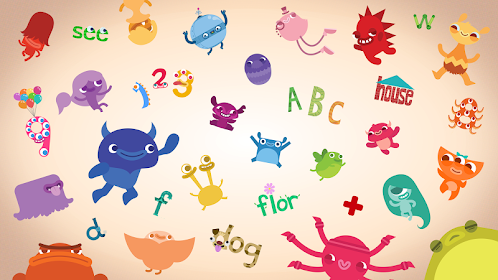
Teach Your Monster to Read is one of the most curriculum-aligned phonics apps available for the early years. Developed with support from the University of Edinburgh, it maps directly onto the systematic synthetic phonics approach used in UK schools, covering the progression from initial sounds through blending and segmenting. Children play as an alien navigating islands through phonics challenges, earning rewards for correct answers.
The app is split into three phases — First Steps, Fun with Words, and Champion Reader — that mirror the phased progression teachers use in the classroom. It is available free online and as a paid app, making it accessible for home learning. Parents can track progress and see where a child is struggling, making it particularly useful for supplementing classroom phonics instruction at home.
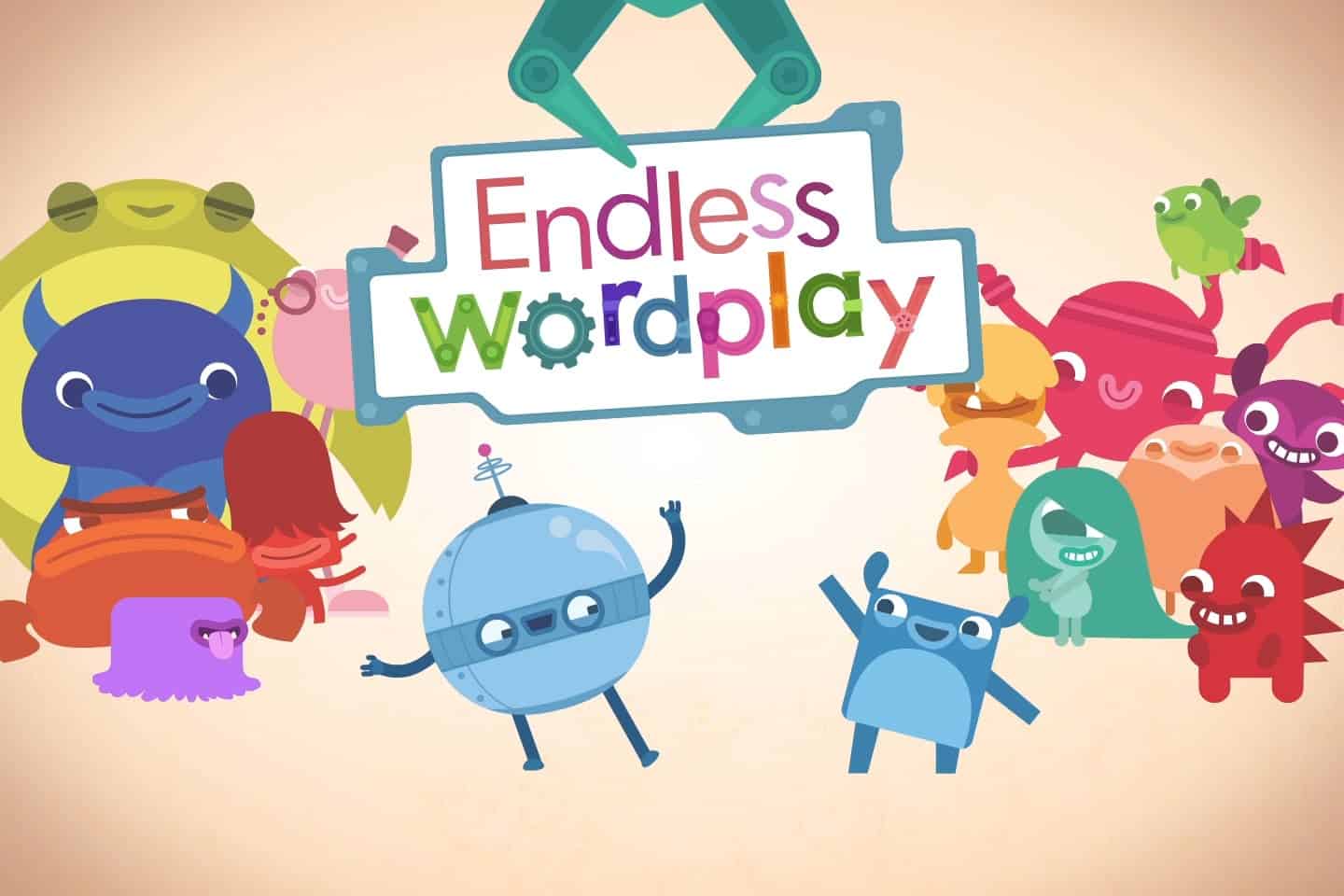
Endless Wordplay approaches early literacy through rhyming and phonetic word-building. A robot character (the Alphabot) creates the structure for children to assemble words by placing letters in sequence. Each level focuses on three rhyming words, and completing a level plays a short animation that visualises the sentence — a visual reinforcement that helps phoneme-grapheme connections stick. It’s a strong follow-up to Teach Your Monster to Read for children who are starting to blend but need more practice with word families.
Key Stage 1 (Ages 5–7): Reading Fluency and Early Maths
KS1 introduces more structured learning targets. The Year 1 Phonics Screening Check means phonics progress is formally assessed, and children are building towards independent reading. In maths, place value, addition and subtraction, and early multiplication are central. Apps at this stage should connect to specific curriculum objectives rather than offering general practice.
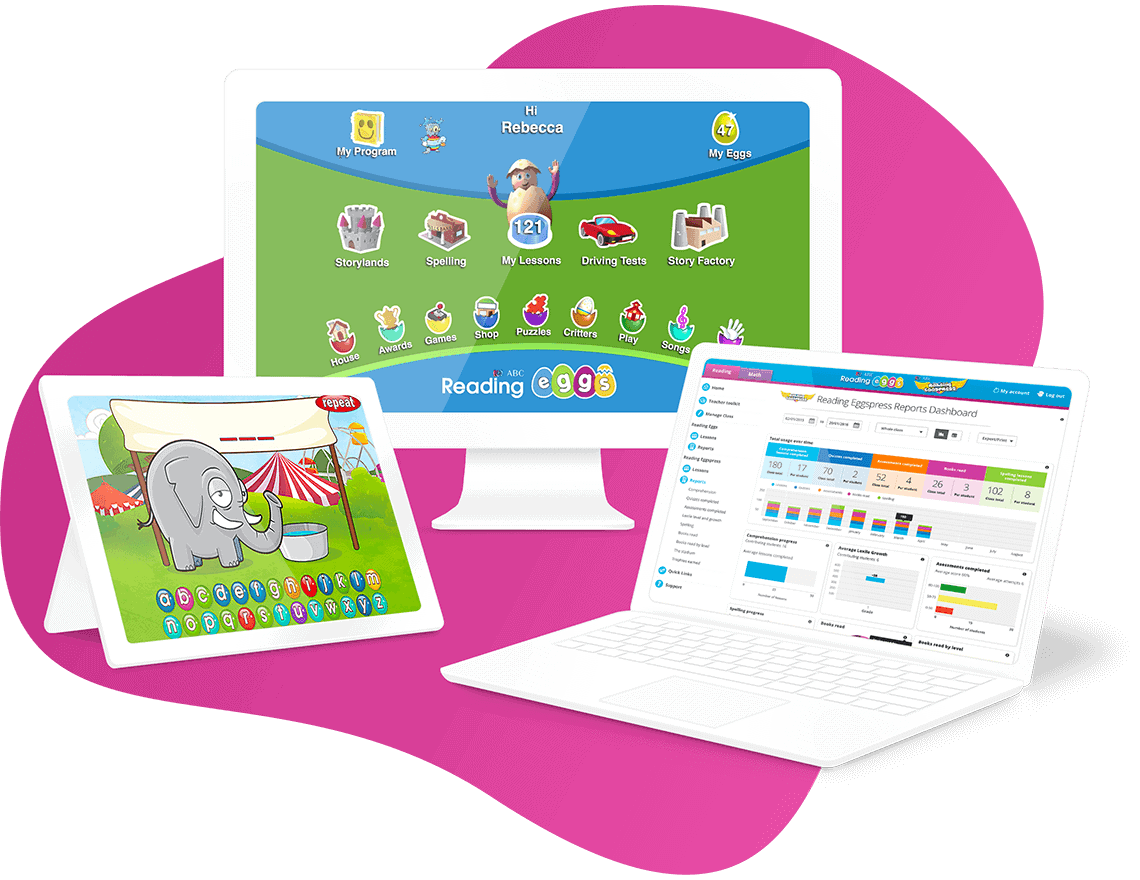
Reading Eggs (by Blake eLearning) maps closely to the UK reading curriculum, covering phonics, sight words, and reading comprehension through interactive lessons and decodable books. Its placement system helps children start at the right point, and the built-in assessment gives teachers and parents a clear picture of progress. The app also includes a maths strand (Mathseeds) that covers KS1 numeracy in a similarly structured way. Both have UK curriculum alignment built in.
DoodleMaths is developed specifically for the UK curriculum and covers everything from Reception to Year 6. At KS1, it focuses on number bonds, counting, and early operations, adjusting difficulty in real time based on a child’s responses. The app is used widely in UK primary schools as a home learning tool, and teachers can access class data through a connected teacher dashboard. It is worth mentioning because it is one of the few apps that has demonstrable evidence of curriculum impact in UK classrooms.
For phonics specifically, the LearningMole phonics video resources on YouTube provide curriculum-aligned visual explanations that work well alongside app practice. Parents can use short video sessions from LearningMole’s channel to introduce a phonics concept before letting a child practise it in an app — a concrete-then-practise sequence that mirrors good classroom teaching.
Key Stage 2 (Ages 7–11): Subject Learning and SATs Preparation
At KS2, educational apps can stretch into specific subjects: science, history, coding, and more advanced maths and English. The Year 4 Multiplication Tables Check means multiplication fluency is a formal requirement, and Spelling, Punctuation and Grammar (SPaG) is assessed at the end of KS2. Apps that target these specific assessment points are particularly useful.
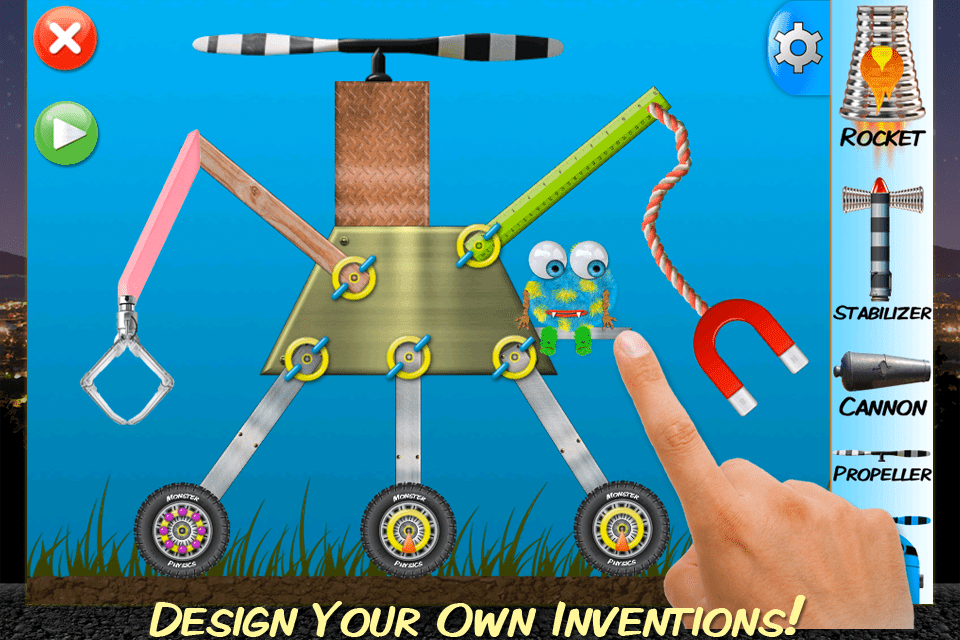
Monster Physics stands out at KS2 for science, particularly for children covering forces, motion, and materials in Years 3 to 5. Children select from 68 parts to build machines, which are then delivered to a physics engine that demonstrates how and why they move. The build mode introduces materials — wood, plastics, and metals— as well as physics concepts such as mass, density, and forces.
With over 50 missions at varying skill levels, the app progresses alongside curriculum demands rather than plateauing. It’s one of the few apps that make abstract physics concepts tactile in a digital environment. LearningMole’s science teaching resources cover the same forces and materials concepts with curriculum-aligned video explanations that teachers can use to bridge the app’s learning back to the classroom.
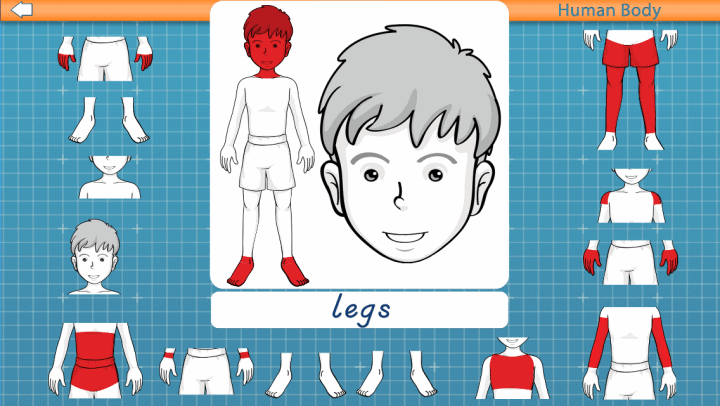
Tinybop’s The Human Body works particularly well at KS2 when children are studying the body’s organ systems in science. The app provides seven interactive models of body systems, including the digestive, circulatory, and nervous systems, that show how each system works through touch interactions. Children can write questions and record audio observations in the app, which teachers can incorporate into structured science lessons. It’s a strong companion resource for the Living Things and Their Habitats and Animals Including Humans units in the KS2 science curriculum.
Scratch and ScratchJr (MIT Media Lab, free) introduce coding at KS1 and KS2 respectively. Coding appears in the UK National Curriculum Computing strand from Year 1, and these apps are the most widely used starting points in primary schools. ScratchJr is suited to KS1, using visual blocks to create simple animations. Scratch extends into KS2 and beyond, allowing more complex sequencing, loops, and conditional logic. Both are offline-capable, which makes them practical for school and home use.
| App | Best For | Key Stage | Price | Offline Capable |
|---|---|---|---|---|
| Teach Your Monster to Read | Phonics, early reading | EYFS / KS1 | Free (web) / Paid (app) | No |
| Endless Wordplay | Word building, phonics | EYFS / KS1 | Paid | Yes |
| DoodleMaths | Maths fluency, UK curriculum | KS1 / KS2 | Subscription | Yes |
| Reading Eggs | Reading fluency, comprehension | KS1 / KS2 | Subscription | Partial |
| Monster Physics | Forces, materials, science | KS2 | Paid | Yes |
| Tinybop Human Body | Body systems, science | KS2 | Paid | Yes |
| Scratch / ScratchJr | Coding, computing | KS1 / KS2 | Free | Yes |
The Transition Strategy: From Entertainment to Learning Apps

Most children, given a free choice between a game and a maths app, will choose the game. This isn’t a character flaw; it reflects the fact that entertainment apps are designed by teams of engineers whose sole purpose is to maximise engagement, while educational apps are often designed with learning outcomes as the primary goal rather than addictive mechanics. The transition between the two requires a strategy rather than a rule.
The “15 minutes before” approach works well in practice: a child gets 15 minutes of their preferred app after completing 15 minutes on a learning app. This positions the learning app as a normal part of the session rather than a punishment or a replacement, and the reward is immediate. Over time, children who genuinely engage with well-designed educational apps often find them enjoyable in their own right, particularly ones with clear progression mechanics like Monster Physics or DoodleMaths.
For teachers, building an app into a specific lesson context makes the transition easier. Introduce the app during class time, show children what they’re working towards, and set a clear challenge for home practice. Children who know why they’re using an app, and what success looks like, engage more actively than children who are simply told to “do the maths app.”
The co-viewing strategy is also worth adopting, particularly for younger children. Sitting with a child for the first few sessions of an app, asking questions about what they’re finding out, and connecting it to what they know from school turns a solo screen activity into a genuine conversation about learning. This is the single most effective thing a parent can do to increase the educational value of app time not the choice of app itself, but the dialogue around it.
Offline Learning: Best Apps for Low-Data and Travel

One underserved consideration in most educational app guides is offline capability. UK families on long journeys, in areas with poor connectivity, or trying to avoid mobile data costs need to know which apps work without Wi-Fi. Several of the best educational apps offer full or partial offline access.
Endless Wordplay works fully offline once downloaded, making it an excellent travel companion for early readers. Monster Physics is also fully offline-capable, which makes it one of the best options for long journeys with KS2 children. DoodleMaths caches recent activity for offline use, syncing progress when the connection returns a practical design for families with inconsistent Wi-Fi.
Scratch (the desktop version) runs entirely offline, and the LearningMole YouTube channel can be downloaded via YouTube Premium for offline viewing, giving families access to curriculum-aligned video content without a data connection. For EYFS learners, Endless Alphabet (Originator Games) is worth adding to the offline list. It works fully offline and covers vocabulary in an engaging, animated format.
It’s worth checking an app’s offline capabilities before downloading it if travel or data management is a priority. App stores do not always clearly flag this, but most app descriptions mention offline functionality in the technical details.
UK Data Privacy: What Parents Should Check

A question that often goes unanswered in app guides is whether the apps recommended are safe from a data privacy perspective. In the UK, the Children’s Code (Age Appropriate Design Code), enforced by the Information Commissioner’s Office, sets specific standards for apps and services likely to be used by under-18s. Apps covered by the code must, among other requirements, apply high privacy settings by default and not use nudge techniques that encourage children to share more data or spend more time than is in their interest.
Before downloading any educational app, parents should check whether the app collects data on children and what it does with it. Apps developed specifically for the UK market, such as DoodleMaths and Teach Your Monster to Read, among others, tend to be more transparent about this. For apps developed in the US, the UK GDPR requirements still apply if the app is used in the UK, but compliance is less consistently enforced.
The practical check is simple: go to the app’s privacy policy and search for “children” or “under 13.” If the policy does not address children’s data specifically, or if the app uses advertising as part of its free model, treat it with caution for primary-aged children.
Teaching Resources and Support

LearningMole provides curriculum-aligned teaching resources and educational videos that work alongside the apps described in this guide. Where apps build skills through practice, LearningMole’s video resources introduce and explain concepts in a way that prepares children for that practice, making the combination more effective than either resource alone.
For teachers, LearningMole’s subject video collections cover the same science, maths, and English topics that KS1 and KS2 apps address, providing ready-made visual explanations that reduce planning time and increase concept clarity. For parents, the free video resources on the LearningMole YouTube channel provide a way to preview what a child is about to practise in an app, helping them ask better questions and give more targeted support.
Explore LearningMole’s teaching resources for curriculum-aligned video content, downloadable materials, and subject guides covering EYFS through KS2. Whether you’re a teacher building digital learning into a lesson sequence or a parent trying to make screen time count, LearningMole’s resources give you the educational foundation to make app practice more meaningful.
Frequently Asked Questions

Is screen time okay if it’s educational?
Yes, provided it is active rather than passive. Research consistently supports the value of interactive, problem-based digital learning for primary-aged children. The key distinction is whether the child is producing something, answering, making decisions, or simply consuming content. Educational apps that require genuine problem-solving support curriculum learning when used as part of a balanced approach. The UK’s own curriculum includes computing from Year 1, reflecting the view that digital tools are a normal part of learning rather than something to be avoided. LearningMole’s approach emphasises using video and digital resources as complements to, not replacements for, hands-on and social learning.
What are the best free educational apps for primary school?
Several strong options are either free or partially free. Teach Your Monster to Read is free to play in the browser and covers the phonics curriculum from EYFS through KS1. Scratch and ScratchJr (MIT Media Lab) are fully free and cover the computing curriculum from Year 1. Khan Academy Kids is free and covers early maths and literacy in an accessible format, though it is US-based and not specifically mapped to the UK National Curriculum. LearningMole’s YouTube channel provides free curriculum-aligned video content that supports a wide range of primary subjects, from phonics and maths to science and history.
Do educational apps actually help children learn?
The evidence is mixed and depends heavily on the design of the app. Apps that are built around established pedagogical principles, spaced practice, immediate feedback, scaffolded difficulty, and active retrieval do support learning. Apps that use superficial gamification without those underlying principles often show engagement without learning. A useful test is whether the app could tell you, at the end of a session, what the child has learned rather than just how long they played. Apps like DoodleMaths and Teach Your Monster to Read produce detailed progress reports precisely because they are built around measurable learning objectives.
How can I make screen time more productive?
The most effective change most parents can make is to sit with their child for the first few sessions of any new educational app. Ask questions, talk about what the child is noticing, and connect it to what they’re learning at school. This co-viewing approach significantly increases the educational value of the session. Setting a clear learning goal before opening the app also helps: “Let’s see if you can get to the next island in Teach Your Monster to Read” gives a child a reason to focus, whereas “use the app for 20 minutes” doesn’t. For older KS2 children, a brief reflection after a session, “tell me one thing you worked out,” turns passive experience into retrievable learning.
Which educational apps work without Wi-Fi?
Several of the best options work fully or partially offline. Monster Physics and Endless Wordplay both work without a data connection once downloaded. DoodleMaths caches recent activity offline and syncs when connectivity returns. Scratch (desktop version) is fully offline. Endless Alphabet is also fully offline-capable and works well for EYFS vocabulary building. LearningMole videos can be downloaded for offline viewing through YouTube Premium. Always check the app description or settings before relying on offline access, as this can change with updates.
Are there apps specifically designed for the UK National Curriculum?
Yes. DoodleMaths is built entirely around the England Primary National Curriculum and covers Reception through Year 6. Teach Your Monster to Read maps directly to the systematic synthetic phonics approach mandated for UK schools. Reading Eggs includes a UK curriculum alignment option. For the computing curriculum, Scratch and ScratchJr cover the programming strand from KS1. LearningMole’s teaching resources and videos are aligned to the UK National Curriculum across maths, English, science, history, and more, making them a natural companion to app-based practice.
What should I look for when choosing an educational app?
Five questions cover most of what matters. Does the app require the child to actively think, or is it passive? Does it connect to what the child is learning at school right now? Does it give meaningful feedback and track progress? Is it appropriate for the child’s Key Stage and year group? And is the data privacy policy clear and compliant with UK GDPR requirements? Apps that score well on all five are rare but worth the investment. LearningMole’s free resource guides can help you identify what your child’s class is covering term by term, giving you a starting point for matching apps to current curriculum content.
How much screen time is appropriate for primary-aged children?
The NHS and most educational guidance avoid a single minute-based rule in favour of a quality-first approach for school-aged children. The question to ask is whether screen time is getting in the way of sleep, physical activity, face-to-face social interaction, or homework; if it is, it is too much. For actively educational screen time specifically, short, focused sessions (15 to 20 minutes for KS1, up to 30 minutes for KS2) tend to be more effective than longer, open-ended ones. Building app practice into a routine after school, before a chosen activity, makes it easier to keep sessions purposeful rather than indefinite.
Conclusion

The apps and strategies covered here share one underlying principle: screen time that builds on what children are already learning in school is far more valuable than screen time that exists in isolation. Teachers who connect app practice to lesson content, and parents who ask their children to explain what they’ve been working on, create the conditions for digital tools to actually improve learning rather than simply occupy time.
What the best educational apps do is create a bridge between the classroom and the home, giving children a way to practise skills in a context that feels engaging rather than like additional homework. Matching the right app to the right Key Stage, keeping sessions short and purposeful, and staying connected to what a child is learning in school are the decisions that determine whether screen time earns its place in a child’s day.
LearningMole’s curriculum-aligned resources, including free video content covering everything from phonics and multiplication to forces and historical topics, give teachers and parents the educational grounding to make those choices with confidence. Whether you’re building digital learning into a lesson plan or helping your child wind down after school with something genuinely useful, the goal is the same: screen time that leaves a child knowing something they didn’t know before.


Leave a Reply