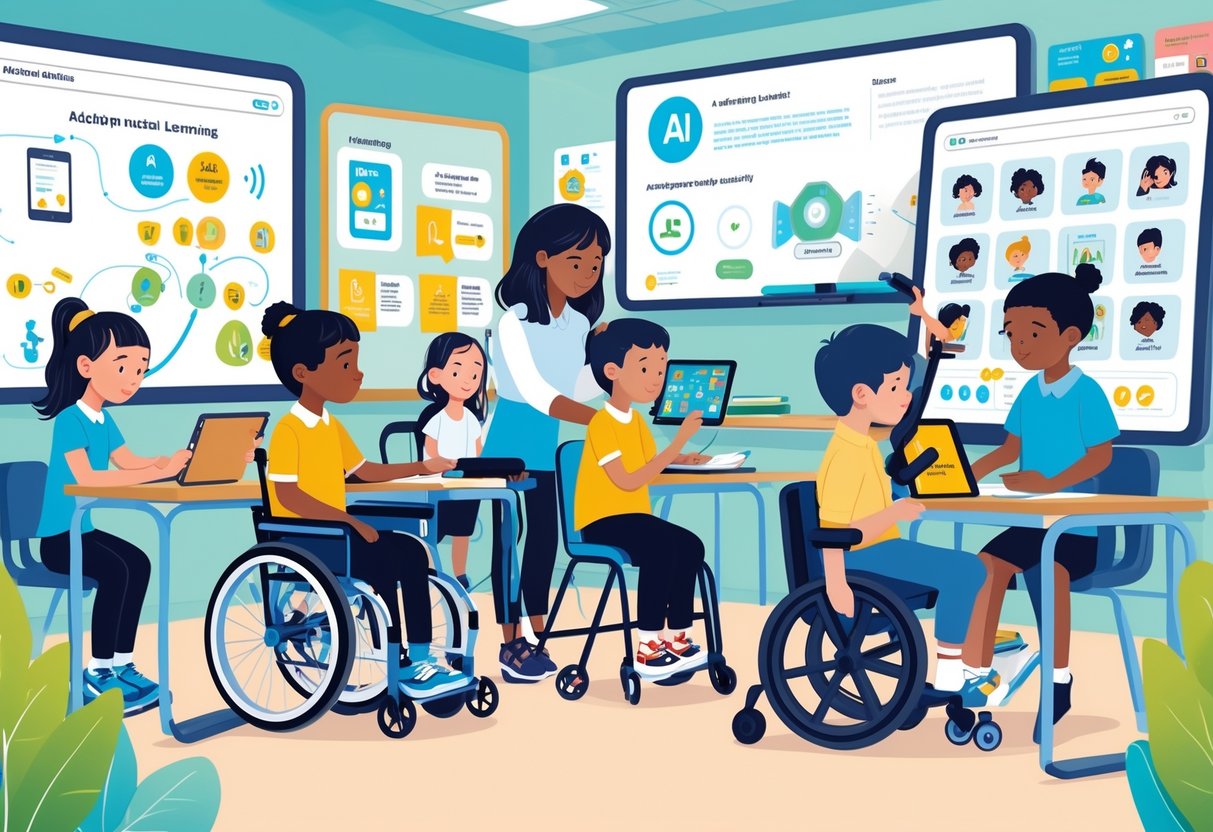
These technologies let teachers build more inclusive classrooms where every student can access the curriculum at their own pace.
Teachers and pupils use everything from speech recognition tools to adaptive learning platforms, and AI now creates fresh opportunities for children with diverse learning requirements in UK primary schools.
AI-powered tools give SEN learners immediate support through features like text-to-speech, speech-to-text, and content simplification that break down barriers to learning.
Michelle Connolly, founder of LearningMole and a former primary teacher with over 15 years in the classroom, says, “technology should never replace the human connection in teaching, but when used thoughtfully, it can give SEN pupils the independence and confidence they need to thrive.”
LearningMole, a UK educational platform, offers curriculum-aligned resources that support teachers working with pupils who have additional needs across Key Stages 1 and 2.
This guide shows practical applications, from communication support to assessment planning, while also addressing the ethical considerations that really matter when working with vulnerable learners.
Key Takeaways
AI tools offer personalised learning experiences and accessibility features that help remove barriers for SEN pupils in UK classrooms.
Teachers should select AI resources that align with pupils’ individual education plans and keep data protection and ethical standards in mind.
Using AI for SEN support works best when teachers get proper training and understand both the benefits and the limits of these technologies.
Understanding Special Educational Needs (SEN)
Special Educational Needs cover a range of learning difficulties and disabilities. These pupils need extra or different support from what schools usually provide.
The SEND Code of Practice (2015) sets out the legal framework for identifying and supporting these pupils through a graduated approach.
Defining SEN in UK Education
A child has special educational needs if a learning difficulty or disability means they need special educational provision.
This means they need help that’s different from or extra to what most children of the same age get in mainstream schools.
The SEND Code of Practice says SEN occurs when a child has much greater difficulty learning than most others of the same age.
It also applies if a disability stops or limits their use of the educational facilities usually provided for pupils of the same age in mainstream schools.
SEN support is not quite the same as SEND, which covers both special educational needs and disabilities.
Schools must tell you if they think your child needs SEN support.
The identification process involves teachers, the school’s Special Educational Needs Coordinator (SENCO), and you as parents working together.
Common Types of SEN and Learning Challenges
SEN learners usually fit into four broad areas: communication and interaction, cognition and learning, social emotional and mental health difficulties, and sensory or physical needs.
Communication and interaction challenges include:
Speech, language and communication needs
Autism spectrum disorder
Trouble understanding or using language
Cognition and learning difficulties affect how pupils process information:
Specific learning difficulties like dyslexia or dyscalculia
Moderate learning difficulties
Severe learning difficulties
Social, emotional and mental health needs might show up as withdrawn behaviours, anxiety, depression or ADHD.
Sensory and physical needs include visual or hearing impairments, physical disabilities, and sensory processing difficulties.
Many pupils have needs in more than one category.
Your child might need support in just one area or across several.
Graduated Approach to SEN Support
The graduated approach sits at the heart of the SEND Code of Practice (2015) and follows a four-part cycle: assess, plan, do, review.
This cycle means schools keep checking and adjusting support based on your child’s progress.
Assess gathers information about your child’s needs through observations, assessments, and chats with you.
Teachers spot what works well and what gets in the way of learning.
Plan sets clear outcomes and decides what support your child needs.
The SENCO, class teacher, and you agree on interventions and teaching approaches.
Schools write this up in an SEN support plan.
Do puts the plan into action.
Class teachers stay responsible for working with your child every day, even if teaching assistants deliver some interventions.
Teachers and support staff work together to meet the outcomes.
Review happens at least three times a year.
You discuss your child’s progress, what’s working, and what to change.
Then the cycle starts again with a fresh assessment.
The UK system focuses on early identification and ongoing adjustment rather than waiting for a formal diagnosis.
Schools must consider data privacy, especially when tools collect information about children’s learning patterns.
Teachers need to check if AI tools fit their existing SEND provision and the SEND Code of Practice.
The technology needs regular monitoring to make sure it actually improves outcomes, not just adds extra tasks.
Personalised Learning for SEN Pupils With AI
AI tools adjust content difficulty in real time, track student progress through detailed analytics, and present information in ways that match how each pupil learns best.
Adaptive Learning for Individual Progress
Adaptive learning platforms change the difficulty and type of content based on how a pupil responds to each question or task.
If your SEN pupil struggles with a maths concept, the system gives easier examples and extra practice.
When they show mastery, it moves them to more challenging work.
Text complexity adjusts to match reading levels while keeping the content age-appropriate.
LearningMole offers free curriculum-aligned videos covering maths, English, and science topics for Key Stages 1 and 2.
The visual and audio format suits pupils who find traditional worksheets tough.
You can pair these resources with AI tools that track which concepts need reinforcement through different teaching methods.
Accessibility Features Powered by AI
https://www.youtube.com/watch?v=xSmdF28sBMo
AI-powered accessibility tools adapt content and communication methods to individual learning needs.
These technologies help pupils with visual impairments, hearing difficulties, and communication challenges access the same curriculum as their peers.
Text-to-Speech and Speech Recognition Tools
Text-to-speech technology reads written text aloud, so pupils with visual impairments or reading difficulties like dyslexia can access learning materials on their own. AI systems now use natural language processing to create voices that sound much less robotic and more like real people.
Speech recognition tools handle things the other way round. They listen to what pupils say and follow spoken commands, letting them use devices and apps without typing or a mouse. This can really help children with physical disabilities or motor control problems.
You can tweak these tools for each pupil. Settings include reading speed, voice type, and language. Many learning platforms now build these features in, so pupils don’t have to jump between different apps to get support.
Speech-to-Text for Written Expression
Speech-to-text software writes down what pupils say, making it easier for those who struggle with handwriting or typing to get their ideas across. As pupils use the software, the AI learns their speech patterns, accents, and vocabulary, which means it gets more accurate over time.
This helps pupils with dysgraphia, physical disabilities, or anyone who thinks quicker than they can write. They can focus on their ideas, not just the act of writing or searching for keys.
Most tablets and computers now include speech-to-text, so it’s pretty straightforward to use in class. Pupils can dictate essays, answer questions, or fill in worksheets by speaking. The software usually adds punctuation on its own and picks up subject-specific words, especially in Key Stage 2 science or geography.
Captioning, Visual and Sensory Support
AI-generated captions show real-time text versions of spoken content for pupils with hearing impairments. These systems pick up speech as it happens and display accurate subtitles during lessons, videos, or assemblies.
Communication apps like Proloquo2Go use AI to guess which words or symbols pupils might need next. This speeds up conversations for children with speech difficulties. These tools learn from how pupils use them and offer better suggestions over time. Teachers use AI for SEN students to personalise learning and to cut down their own workload by automating some adaptations.
AI for Communication and Social Skills Development
AI tools now support pupils with speech and language difficulties through interactive software and adaptive communication aids. Natural language processing helps children practise conversations, and voice output apps give non-verbal learners ways to express themselves.
Supporting Non-Verbal and Speech-Impaired Pupils
Speech-generating apps use AI to help pupils share their needs and ideas. Apps like Proloquo2Go adjust to each pupil’s vocabulary and learning patterns as time goes on.
These tools predict words and phrases based on context. When a pupil selects symbols or types part of a word, the AI offers relevant suggestions. This makes communication quicker and less frustrating.
You can use these apps in Key Stage 1 and 2 activities. In maths, pupils might use picture-based communication to explain their thinking. During literacy, they can join group discussions using their device.
The technology adapts to each pupil’s communication style. Many teachers notice that pupils build confidence in social situations when they use these tools regularly.
AI Chatbots and Interactive Agents
Conversational AI tools like ChatGPT give pupils safe spaces to practise social interactions. These chatbots respond to questions and keep up conversations without judgement, which helps anxious learners practise talking with others.
You can set up role-play scenarios for greetings, turn-taking, or asking for help. The AI changes its language complexity based on each pupil’s responses. This means pupils can practise as much as they need, even when the classroom is busy.
These agents spot emotions in text and reply in ways that fit. If a pupil types a frustrated message, the chatbot might suggest calming strategies or rephrase the question more simply.
Practical classroom applications:
Activity
Benefit
Greeting practice
Builds confidence in social situations
Question formation
Improves clarity in communication
Emotion recognition
Develops empathy and understanding
These interactions add to human support, not replace it. You should check chat logs now and then to spot patterns and tweak your teaching as needed.
Promoting Independence and Engagement
AI communication tools help pupils speak up for themselves during the school day. If learners can say where they want to sit, what activities they like, or when they need a break, they feel more in control.
Inclusive education with AI aims to remove barriers to taking part. Voice-to-text features let pupils with motor issues join in with written tasks. Text-to-speech helps those who find reading aloud tough.
You can adjust interface colours, symbol sizes, and response speeds. These tweaks make sure the technology suits each pupil, instead of adding new problems.
Teachers often see more engagement when pupils control how they communicate. A Year 3 pupil might join in science discussions more if they can share their ideas on a tablet. This independence often carries over to social times, where pupils start conversations with classmates using their chosen tools.
AI-Powered Assessment and Planning for SEN Support
AI tools can spot pupil needs earlier by analysing data and help SENCOs or teachers create tailored support plans. These systems help draft Education, Health and Care Plans more quickly and use analytics to track progress and tweak support.
Automating EHCP and Support Plan Drafting
AI-powered tools for SENCOs pull key information from assessments and generate draft EHCP sections in minutes. You can add pupil observations, assessment data, and reports to get structured outputs that match the SEN Code of Practice.
These systems pick out relevant needs across the four broad areas of SEN. They suggest outcomes and provision based on patterns from thousands of plans. You still review and personalise each part, but you save a lot of time on the first draft.
Teachers working with Year 3 pupils who have cognition and learning needs often find these tools handy when setting SMART targets. The AI looks at baseline data and suggests measurable goals that fit the pupil’s current level. You can then change the wording or detail to match what you know about the child.
Predictive Analytics for Early Intervention
Analytics platforms can flag pupils who may need SEN support before formal referrals. You track data points like attendance, behaviour logs, assessment scores, and engagement.
The system checks this information against known patterns to spot pupils at risk of falling behind. For example, a Year 5 teacher might get an alert if a pupil’s reading scores drop and absences go up. This means you can talk to parents and the SENCO sooner.
Some schools use these tools to watch whole year groups in Key Stage 2. The data can show trends individual teachers might miss, like a group struggling with working memory in maths. You can plan interventions before the gaps get bigger.
Data-Driven Review and Adjustment
AI systems track different data streams to show if SEN support strategies actually help each pupil. You log intervention sessions, note changes in classroom behaviour, and add assessment results over the term.
The platform creates visual reports showing progress against EHCP outcomes or SEN targets. For example, a Year 6 pupil getting speech and language support might make good progress in vocabulary but less in social communication. You use this to adjust support during reviews.
Teachers like seeing which strategies work best. If a pupil with ADHD focuses better during morning sessions with movement breaks, the data backs up this approach.
Ethical, Legal, and Data Protection Considerations
Using AI with SEN pupils means you have to pay close attention to data protection laws and ethical practices. Schools must follow GDPR and the Data Protection Act 2018 and be open about how AI systems make decisions that affect learning.
Safeguarding Sensitive Pupil Data
SEN pupils’ information often includes very sensitive details about their learning difficulties, medical needs, and support. Under GDPR, you must treat this as special category data and give it extra protection.
Your school needs strong security measures when AI tools process this data. Pick platforms that use encryption and secure UK or EU servers. Check if the AI provider follows data protection and AI guidance from the Information Commissioner’s Office.
You should carry out a Data Protection Impact Assessment before you use any AI system. This finds risks to pupil privacy and shows how you’ll reduce them.
The Department for Education expects schools to keep detailed records of how they process data. Store these records securely and update them if you bring in new AI tools.
GDPR and Data Protection Act 2018 Compliance
Your school must have a legal reason for processing SEN pupils’ data with AI systems. The most common reasons are parent consent or the legitimate interest in providing education.
The Data Protection Act 2018 says you need to be specific about how AI will use pupil information. Vague consent forms won’t do. You have to explain which AI tools you’ll use, what data they’ll process, and how long you’ll keep it.
Under GDPR, parents can see their child’s data and ask for corrections. They can also ask you to delete information or stop using it in certain ways. Your school must respond within a month.
You should have a Data Protection Officer if your school handles lots of sensitive data. This person oversees compliance and acts as the link to the ICO.
Ensuring Transparency and Professional Judgement
AI systems should support your professional judgement, not take over. You still decide what’s best for SEN pupils, even when AI gives recommendations.
Be clear with parents about how AI tools work and what they do for their child’s learning. Skip technical jargon and stick to real examples. For instance, say an AI reading tool tracks which phonics sounds a pupil struggles with rather than talking about algorithms.
Your school’s governance should set clear limits on what AI can do. Teachers need to check AI-generated suggestions before using them. This matters most for SEN pupils whose needs might not fit what AI expects.
Keep notes when you disagree with AI advice. This shows you used your professional judgement and helps spot when an AI tool gives poor advice for certain SEN types.
Staff training should cover ethical uses of AI in practice, adapted for education. Teachers need to know about possible biases in AI and how these might affect SEN pupils unfairly.
Teacher Training and Professional Development in AI
Teachers need specific skills and knowledge to use AI tools well with SEN pupils. Professional training gives educators a chance to understand the technical side of AI platforms and the teaching methods that work in real classrooms.
Building AI Literacy for Educators
You don’t have to be a tech whizz to use AI tools with SEN pupils. Basic AI literacy means knowing how these systems work, what they can and can’t do, and how to make sense of the data they give you.
Many schools kick things off with short training sessions focused on one tool, not everything at once. You might start with text-to-speech software or an adaptive maths platform before moving on to more complex systems.
AI tools have to fit with the SEND Code of Practice and the Equality Act 2010. Training should cover data protection rules under GDPR and the Data Protection Act 2018, especially when systems gather information about pupils’ learning or emotional responses.
Start small. Pick one platform that meets a real need in your class and try it out with a few pupils before using it more widely. This way, you get to grips with the tool without overloading yourself or your pupils.
Share what you learn with colleagues and your SENCO. AI can save teachers up to five hours per week on planning and admin, but only if you use it with clear purpose and judgement. Keep track of what works and what doesn’t so others in your school can benefit too.
Effective Use of AI Tools in SEN Settings
You need to mix AI insights with your own observations and relationships with pupils. When an adaptive platform flags a pupil struggling with a concept, it’s your job to figure out why and give the human support they need.
Teacher training should include practical sessions where you try tools like Microsoft Immersive Reader or Century Tech with real classroom scenarios. This hands-on approach lets you see how features like adjustable text size, dyslexia-friendly fonts, or audio support actually help different pupils.
LearningMole provides curriculum-aligned videos in maths, English and science. These resources work well with adaptive systems because the videos break concepts into clear, manageable steps, reinforcing what AI tools highlight as areas needing support.
Selecting and Evaluating AI Tools for SEN Pupils
Choosing the right AI tools means you need to check safety features, see if they fit with your support systems, and get input from families and school coordinators. You have to balance trying new things with sticking to proven practices that keep vulnerable learners safe.
Criteria for Safe and Effective AI Tools
You should look for AI tools designed for special educational needs that meet accessibility standards and keep pupil data safe. Make sure the tool offers personalised learning pathways that adapt to individual needs without building in existing biases.
Look for these features:
Data privacy compliance with UK GDPR and school rules
Accessibility options like screen readers, text-to-speech, and adjustable interfaces
Evidence of effectiveness from research or educational trials
Transparent algorithms that explain how decisions are made
Test tools with a small group first. Ask if the assistive technology actually breaks down barriers or creates new ones. Does it let pupils work independently, or does it need constant adult help?
Think about whether the tool meets specific needs like dyslexia support, communication aids, or sensory processing. Generic AI platforms usually don’t work as well as those built for SEN pupils.
Integration With Existing SEN Frameworks
The AI tools you pick should fit with Education, Health and Care Plans and the SEND Code of Practice. They need to add to, not replace, the support strategies you already have.
Check if the tool works with your current assessment and record-keeping systems. Can it share data with your school’s management information system? Does it create reports that help with statutory reviews and tracking progress?
AI implementation should support inclusive education goals, not set up separate systems. The technology has to work with teaching assistants, therapists, and specialist teachers already supporting your pupils.
Try starting with one subject or learning objective. This approach helps you measure impact before you expand across the curriculum.
Collaborating With Families and SENCOs
Involve your SENCO from the start when choosing AI tools. They know each pupil’s needs and can tell if a solution matches Education, Health and Care Plan outcomes.
Arrange consultation sessions with parents and carers before you bring in new technology. Explain how the AI tool works, what data it collects, and how it will support their child’s targets. Some families might worry about screen time or data use, so be ready to talk about those concerns.
Set up a simple feedback system for families to share what’s working and what’s not. Regular check-ins help you spot issues early, like pupils getting frustrated or too dependent on the tech.
Your SENCO should monitor how pupils respond to AI tools and adjust support as needed. LearningMole offers curriculum-aligned videos to supplement AI tools, giving you more options when technology alone doesn’t cover every need. Keep detailed records of which tools help with which outcomes so you can share good practice with others.
Case Studies and Emerging Best Practice
Schools in the UK and beyond are trying AI tools with pupils who have special educational needs. They’re seeing some promising results and running into a few practical challenges. Real classroom experiences show how AI in education can personalise learning, but also show where things still need work.
Success Stories in UK Schools
St John’s Church of England Primary School brought in AI tools for pupils with dyslexia and other SEN needs. They use voice-to-text software to remove spelling barriers during writing. Pupils also use AI reading aids that break down complex texts into smaller chunks.
Teachers say these tools mix visual, audio and interactive features to fit different learning styles. The technology gives real-time support and feedback tailored to what each pupil needs.
Research suggests that generative AI interventions can help close the attainment gap between disadvantaged pupils and their peers. The personalised support these pupils get would be impossible for teachers to provide alone. Teachers find that adaptive learning systems flag strengths and areas for growth, so they can offer more targeted support in lessons.
Data privacy is still a big worry when using AI tools with vulnerable pupils. Schools must check that any platform meets UK GDPR and SEND Code of Practice requirements.
Training staff to use AI tools well takes time and resources. Many schools have patchy internet or old devices that limit who can benefit. Teachers also need help understanding when AI recommendations are useful and when to trust their own judgement. Some pupils get too reliant on AI help, which can slow down their independent learning skills.
You might want to try platforms like LearningMole, which provides curriculum-aligned videos and resources to use alongside AI tools for primary pupils. Schools in different countries use adaptive learning systems that adjust content difficulty based on pupil responses. Others use AI chatbots that give patient, repetitive practice for pupils who need more time to master concepts.
Frequently Asked Questions
AI tools can be customised for different learning needs. Proper integration takes careful planning and ongoing teacher involvement. Privacy and progress tracking matter a lot when using these technologies in school.
How can AI tools be tailored to the individual needs of SEN pupils?
Text-to-speech features help pupils with dyslexia or visual impairments. Speech recognition supports those with writing difficulties. You can tweak font sizes, colour contrasts and reading speeds to fit sensory needs.
AI systems learn from how your pupils interact with content and adjust future lessons. For example, a Year 3 pupil with working memory difficulties might get information in smaller chunks with more frequent recaps.
Speech recognition and pronunciation support gives instant feedback for SEN learners struggling with speaking or decoding words. Some platforms let you create custom vocabulary lists to match your pupils’ interests and learning goals.
What are the best practices for integrating AI into the classroom for children with SEN?
Start by spotting specific learning barriers your SEN pupils face, then pick AI tools that target those needs. Teachers should stay in control of the learning process, not hand it over to AI systems.
Introduce AI tools gradually. Begin with one or two applications instead of overwhelming pupils with lots of new tech.
Train teaching assistants and support staff on the AI tools you plan to use so they can help pupils well. Regular monitoring makes sure technology supports, rather than replaces, human interaction and relationship building.
Mix AI tools with traditional teaching methods for a balanced approach. Pupils still need face-to-face support, social interaction and hands-on experiences alongside digital help.
Which AI-driven assistive technologies are currently available to aid SEN pupils in their learning?
Speech-to-text software lets pupils with dysgraphia or motor difficulties finish written work by speaking their answers.
Text-to-speech readers help those with dyslexia or visual processing challenges by reading content aloud. You can usually adjust the speed too.
Predictive text and word prediction tools support pupils with spelling difficulties or language processing needs. These tools make it easier to complete sentences.
LearningMole shares free curriculum-aligned videos in maths, English and science. SEN learners aged 4-11 can use these for both visual and audio learning.
AI translation tools support multilingual SEN pupils who are learning English as an additional language. These tools help them manage learning differences at the same time.
Virtual learning assistants offer quick feedback on maths problems or reading comprehension questions. Pupils don’t have to wait for a teacher to respond.
Organisation tools with AI reminders and task breakdowns help pupils with ADHD or executive function difficulties to manage their workload.
Visual scheduling apps use AI to build picture-based timetables. These schedules adapt to changes in the school day.
How do we ensure that AI supports the inclusion of SEN pupils in mainstream education?
AI tools should help SEN pupils access the same curriculum as their peers. They shouldn’t create separate pathways.
You can use AI to provide scaffolding and support. This lets pupils tackle age-appropriate material at their own pace.
Universal design means picking AI platforms that help all learners, not just those with specific needs.
Progress dashboards show improvements in specific skills like phonics decoding or times tables recall over time.
This data lets you adjust Individual Education Plans with clear evidence of what’s working.
You can spot when a pupil has mastered a concept and is ready to move on. Or you might notice when they need a different teaching approach.
AI analytics can highlight early warning signs when a pupil starts to struggle with new content. You can catch issues before they fall behind.
Still, you should always combine AI data with your own observations and knowledge of each child. That personal touch makes all the difference, doesn’t it?
What measures are in place to protect the privacy of SEN pupils when using AI systems for education?
UK schools follow GDPR rules when they use AI tools that handle pupil data. This includes sensitive details about special educational needs.
You should only give AI platforms the minimum information they need to help pupils. No need to share more than that.
You must get parental consent before using AI tools that collect personal data about SEN pupils. The school’s data protection officer should check any new AI systems before you use them.
Try to anonymise pupil data whenever you can, especially when you use AI for planning or making resources. Make sure AI platforms delete pupil data when it’s not needed anymore. You should also be able to ask for data removal at any time.
Maths Circus, an innovative platform we've crafted, presents a captivating realm where children learn mathematics through the exciting theme of a circus. The joy of juggling numbers and solving circus...
Respecting others means treating people as if their feelings, opinions and personal space matter as much as your own. For children, this is a skill they learn through practice and...
Transformations describe how a shape moves or changes on a flat surface. In primary maths, children meet three movements that keep a shape exactly the same size: translation (a slide),...
Children usually meet the wider world through their own street, their school and the places they visit on holiday. Learning the continents and oceans of the world takes that sense...








Leave a Reply