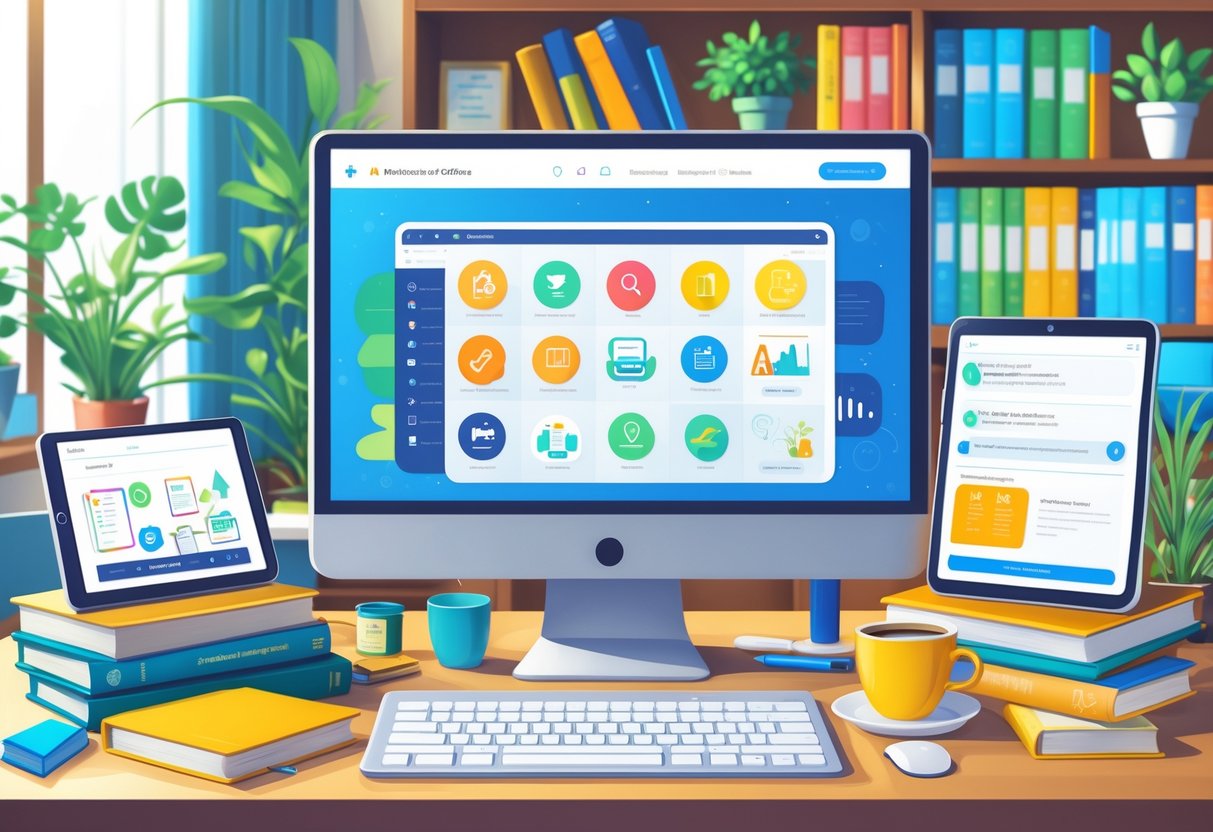
These three platforms provide comprehensive educational content. They transform lesson planning and classroom engagement with interactive materials, multimedia resources, and curriculum-aligned activities.
Khan Academy Overview
Khan Academy offers free, high-quality lessons in mathematics, science, history, and economics. You can access thousands of video tutorials, interactive exercises, and progress-tracking tools.
This platform focuses on a personalised learning approach. Students work at their own pace, and you can monitor their progress using detailed analytics dashboards.
Michelle Connolly, founder of LearningMole, says, “Khan Academy’s mastery-based learning system allows teachers to identify exactly where each student needs support, making intervention planning much more targeted.”
National Geographic Kids brings science and geography lessons to life with stunning visuals and engaging content. You can access age-appropriate articles, videos, games, and activities for your classroom.
The platform makes complex scientific concepts easy for young learners. Interactive maps, animal facts, and explorer stories capture students’ attention and deliver curriculum content.
High-quality photography and factual content support cross-curricular learning. You can use articles for guided reading or comprehension activities in literacy lessons.
Quiz features help with quick assessments and provide brain breaks during longer lessons.
PBS LearningMedia Essentials
PBS LearningMedia gives you curriculum-aligned digital content for all subjects and year groups. You can find thousands of videos, interactive lessons, and teaching materials made by educational professionals.
The search function lets you filter by subject, year group, and resource type. This helps you find materials for your specific teaching needs quickly.
Standout features include:
PBS LearningMedia shines when it offers activities that connect learning to real-world situations. You can preview all content before using it with students to ensure quality.
The platform updates its library regularly with new programmes and educational content.
Interactive Learning Platforms
Interactive learning platforms turn traditional lessons into engaging digital experiences. These tools use multimedia content and real-time feedback to create personalised learning journeys.
Prodigy Math Benefits
Prodigy Math gamifies mathematics through an adventure-based platform. Students solve curriculum-aligned problems to progress through quests.
The platform adjusts difficulty based on student performance, keeping each child challenged but not overwhelmed.
Key Features:
Michelle Connolly, founder of LearningMole, says, “Interactive platforms like Prodigy show how game-based learning can transform a child’s relationship with mathematics. When children see maths as play rather than work, their confidence soars.”
Teachers can assign specific skills or topics and monitor student progress with detailed analytics. The platform finds knowledge gaps and provides targeted practice.
Parents receive clear progress reports showing which mathematical concepts their child has mastered. This helps families support learning at home.
The platform stops students from skipping ahead until they answer embedded questions correctly. This maintains focus and gives teachers immediate feedback on understanding.
EdPuzzle Advantages:
You can crop videos to focus on specific concepts or upload your own content. The editing tools are easy to use, so you can create interactive lessons without technical skills.
The analytics dashboard shows how often students rewatch sections. This data helps you plan follow-up lessons to address learning gaps.
Education Perfect Insights
Education Perfect offers interactive lesson plans across multiple subjects. It combines multimedia content with adaptive assessments and provides detailed analytics for teachers.
Students get immediate feedback on their answers, with explanations that reinforce correct responses and address mistakes. The system tracks time spent, accuracy, and areas of difficulty.
You can identify which students need extra help before they fall behind. This allows for proactive support.
Interactive lesson plans include a variety of question types, such as multiple choice and drag-and-drop. This variety keeps students interested and checks understanding in different ways.
The homework assignment feature lets you set tasks with automatic marking. Students receive instant feedback, and you save valuable time.
Educational Games and Activities
Digital games and interactive activities make lessons more engaging. Platforms like PBS Kids provide structured gaming environments, while Twinkl and HowStuffWorks offer diverse content to support learning goals.
PBS Kids Gaming Tools
PBS Kids provides a collection of educational games for children aligned with curriculum standards. The games cover mathematics, science, reading, and social studies.
Games are organised by age group and subject area. Each game lists clear learning objectives and progress tracking features.
Michelle Connolly, founder of LearningMole, says, “When selecting digital games for the classroom, look for platforms that offer immediate feedback and adaptive difficulty levels.”
Key PBS Kids Game Categories:
The games work on many devices and don’t require special software. This makes them ideal for classroom computers, tablets, or home learning.
You can find detailed teacher guides for each game. These guides explain how to integrate activities into your lesson plans.
Using Twinkl Effectively
Twinkl offers thousands of interactive games and printable activities for all year groups. The platform organises resources by subject, making it easy to find what you need.
You can search by curriculum topics or learning objectives. This saves time when preparing lessons.
Interactive games work well for whole-class activities on interactive whiteboards. Many games have differentiated versions for different ability levels.
Popular Twinkl Game Types:
Twinkl’s printable board games provide alternatives to screen-based learning. These are great for outdoor sessions or when technology isn’t available.
You can also use PowerPoint games and customise them with your own content. This lets you create games that match your teaching topics.
Fun Resources on HowStuffWorks
HowStuffWorks offers educational content that makes complex topics easy to understand. The site covers science, technology, history, and general knowledge.
You can use HowStuffWorks articles to create classroom games and activities. The clear explanations help you teach topics confidently.
The “How Things Work” section appeals to curious learners. These resources help extend learning beyond the basics.
Effective HowStuffWorks Applications:
The site’s question-and-answer format helps students build critical thinking skills. You can use this approach to encourage student inquiry.
Many articles include simple experiments you can try in the classroom. This hands-on approach supports learning with practical experience.
Resource Marketplaces for Teachers
Teacher resource marketplaces give you ready-made materials from educators worldwide. These platforms offer worksheets, lesson plans, and more to save you planning time.
Teachers Pay Teachers Marketplace
Teachers Pay Teachers is the world’s largest marketplace for educational resources, with over four million teaching materials. You can find lesson plans, worksheets, interactive activities, and digital downloads created by teachers.
The platform lets you search by subject, year group, or learning objectives. You can read reviews from other teachers before buying to ensure the resources fit your classroom.
Popular resource categories include:
Michelle Connolly, founder of LearningMole, says, “As an educational consultant who has worked with thousands of students, I’ve seen how quality resources from experienced teachers can transform learning outcomes.”
The marketplace offers both free and paid resources. Many teachers start with free materials to check quality before buying premium content.
Made By Teachers provides printable worksheets and digital activities for classroom use. The site organises materials by curriculum area and year group.
Key features to look for:
RefSeek lists 25 free teacher resource sites that only require account registration. These platforms offer lessons, classroom activities, and collaboration tools for free.
Most sites let you create folders to organise your favourite resources. This saves time when planning future lessons on similar topics.
Benefits of Printable and Digital Materials
Resource marketplaces provide both printable and digital formats for different teaching styles. Printable materials are useful for hands-on activities, homework sheets, and display work.
Digital resources work well with interactive whiteboards and tablets. They often include animations, sound effects, and built-in assessment features to engage pupils.
You can adapt purchased resources by changing difficulty levels, adding your school logo, or including pupil names for personalisation.
Curriculum and Lesson Planning
Effective curriculum planning means aligning with educational standards and using engaging resources. Teachers can combine structured lesson plans with interactive multimedia content to create strong learning experiences.
Creating differentiated pathways for different ability levels
Michelle Connolly, founder of LearningMole, says, “Standards alignment isn’t about ticking boxes—it’s about ensuring every child receives the comprehensive education they deserve whilst maintaining creative flexibility.”
Most planning platforms include standards libraries for all UK curriculum areas. You can search by topic and add objectives with a single click.
Essential features to look for:
Automatic progress tracking across terms
Gap analysis tools to spot uncovered areas
Collaborative planning for year group consistency
Free and Paid Interactive Lesson Plans
Ready-to-use lesson plans are a great starting point, whether you use free resources or paid subscriptions. Free platforms like PBS LearningMedia provide thousands of curriculum-aligned activities.
Free resource benefits:
Immediate access to tested materials
Regular content updates from educational teams
Premium services usually offer more features, such as customisable templates, advanced assessment tools, and detailed analytics for tracking progress.
Choose resources based on your needs and budget. Many teachers use a mix of free and paid resources.
Integrating Video Tutorials
Video content turns abstract ideas into visual experiences that students can replay. Educational videos help explain complex topics with step-by-step demonstrations.
Effective video integration strategies:
Embed short clips within lessons
Create flipped classroom opportunities using tutorial libraries
Use videos as assessment tools with comprehension questions
Best practices include:
Keep segments under 10 minutes
Provide worksheets for note-taking
Test all links before lessons
Quality video sources offer:
Curriculum-matched content
Closed captioning for accessibility
Download options for offline use
You can create simple videos using smartphone apps or screen recording software. Student-made instructional videos also build digital literacy skills.
Progress Tracking and Assessment Tools
Modern progress tracking tools generate detailed reports and integrate with assessment systems. Teachers can monitor standards mastery and view results in real-time.
Built-in Tracking Features
Most digital assessment platforms track student learning automatically. These features collect data from every quiz, assignment, and interaction.
The tracking records completion rates, accuracy scores, and time spent on tasks. Visual dashboards show each pupil’s progress against curriculum standards.
Michelle Connolly, founder of LearningMole, says, “Teachers using digital tracking tools often find they can identify learning gaps within days rather than weeks.”
Advanced platforms like Moodle analyse student engagement and performance patterns. These systems flag pupils who may struggle before they fall behind.
Key tracking features include:
Real-time progress bars
Mastery indicators for skills
Attendance and engagement metrics
Automated alerts for intervention
Reporting Student Learning Outcomes
Modern platforms turn raw data into insights about student achievement. They generate summary reports for quick overviews and detailed analytics for deeper investigation.
You can create custom reports showing progress against learning objectives. Many tools offer parent-friendly reports that clearly explain what children have learned.
Progress monitoring systems provide formative data for instruction and summative reports for assessments. Reports often include visual charts and graphs to show trends.
Essential reporting features:
Individual pupil summaries
Class-wide overviews
Standards mastery tracking
Growth charts
Printable reports for parents and administrators
Assessment Integration Options
Online assessment tools connect with teaching platforms and gradebooks. This integration removes double data entry and keeps information consistent.
Popular platforms like Google Classroom sync with tools such as Flubaroo and ClassMarker. You can embed quizzes into learning management systems or share them by email.
Many formative assessment applications work with interactive whiteboards and tablets. Pupils respond on their own devices, and results appear instantly.
edX and Coursera offer university-level courses on educational technology and classroom management. These self-paced programmes let you learn around your teaching schedule.
Michelle Connolly, founder of LearningMole, says, “The best professional development happens when teachers can immediately apply what they’ve learnt in their own classrooms.”
Many courses offer graduate credit or digital badges. The flexible format lets you pause and resume training as needed.
Best Sites for Professional Growth
Top platforms provide quality training with recognised certification. OER Commons and Common Sense Education offer free lesson plans and professional development modules.
Subject-specific associations provide targeted resources. The National Council of Teachers of English (NCTE) offers writing instruction courses. The National Science Teachers Association (NSTA) focuses on inquiry-based learning methods.
Look for courses that provide practical classroom applications. The most valuable training includes downloadable resources you can use immediately.
Networking and Peer Communities
Professional learning networks connect you with educators worldwide. Edutopia and Teaching Channel host active communities for sharing strategies and resources.
Twitter educational chats use hashtags like #edchat and #teachingtips for weekly discussions. Facebook groups such as “Teachers Helping Teachers” offer spaces for collaboration and problem-solving.
Educational podcasts provide professional development during your commute. “Cult of Pedagogy” and “Edu Mentors” feature expert interviews and practical teaching tips.
You can join subject-specific online groups for your teaching areas. Maths teachers benefit from specialised forums, and English teachers find value in literacy-focused communities.
These networks offer ongoing support beyond formal training. You’ll discover new methods, get advice on challenges, and build relationships with colleagues.
Engagement and Teaching Strategies
Successful online teaching uses approaches that keep students motivated and active. The most effective strategies focus on personalised motivation, adapting content to individual needs, and blending in-person and digital experiences.
Promoting Student Motivation
Building student motivation online starts by creating meaningful connections with coursework. You can use gamification strategies like badges, leaderboards, and interactive challenges.
Interactive Assessment Techniques help maintain engagement. Try:
Digital quizzes with immediate feedback
Virtual escape rooms for subject review
Collaborative projects using shared online spaces
Peer feedback sessions through discussion forums
Michelle Connolly, an expert in educational technology, says, “The key to online motivation lies in making each student feel seen and valued, even through a screen. When children know their contributions matter, their engagement soars.”
Collaborative learning approaches help reduce isolation in virtual classrooms. Set up breakout rooms for small group discussions. Create virtual study groups for peer support.
Multimedia Integration keeps lessons dynamic and suits different learning preferences. Mix video content with interactive presentations, podcasts, and infographics to hold interest.
Differentiation in Online Classrooms
Online environments give you unique ways to personalise learning for each student’s needs and abilities. Differentiated instruction strategies help you tailor content to students’ readiness, interests, and learning profiles.
Content Differentiation becomes easier with digital tools. You can provide:
Student Need
Online Solution
Advanced learners
Extension activities and independent research projects
Struggling pupils
Simplified instructions with visual supports
Visual learners
Interactive diagrams and video explanations
Audio learners
Recorded lessons and discussion podcasts
You can let students work at their own pace through learning materials. Create multiple pathways using branching scenarios or choose-your-own-adventure lessons.
Adaptive learning technologies adjust difficulty levels based on student responses. These systems find strengths and weaknesses, then build personalised learning plans.
Product Differentiation lets students choose how to show their understanding. Some create videos, others write reports, and kinesthetic learners might build digital models or presentations.
Hybrid and Remote Learning Approaches
The flipped classroom model works well in hybrid settings. Students access content online before meeting in person for deeper discussion and application.
Balancing synchronous and asynchronous activities helps with different schedules and learning preferences. Live sessions work best for:
Direct instruction of new concepts
Group discussions and collaborative activities
You can also use live sessions for Q&A and peer presentations with feedback.
Pre-recorded content fits independent learning activities like skill practice, content review, and research projects.
Interactive online tools turn passive learners into active participants. Digital whiteboards support real-time collaboration. Polling software gives every student a voice, even those hesitant to speak up.
Clear communication becomes essential in hybrid environments. Set up channels for different interactions—use email for formal questions, chat for quick clarifications, and video calls for complex discussions.
Regular check-ins help you monitor progress and wellbeing. Schedule brief one-to-one meetings to give personalised feedback and support.
Subject-Specific Resources
History for kids and interactive maths platforms offer targeted tools to match curriculum needs. Specialised sites often provide more depth than general educational platforms.
History for Kids Highlights
National Geographic Kids brings history to life with engaging visuals and interactive content. You can find articles about ancient civilizations, explorers, and historical events that capture students’ attention.
The platform covers topics from Egyptian pharaohs to Victorian Britain. Content matches Key Stage requirements and keeps students interested in historical discoveries.
Key features include:
Timeline tools for chronological understanding
Interactive maps showing historical changes
Primary source materials adapted for young learners
Video content featuring historical recreations
Michelle Connolly, founder of LearningMole, says, “History comes alive when students can visualise the past through engaging multimedia content that connects to their own experiences.”
Many history for kids resources offer differentiated materials for various reading levels. You can find simplified texts for younger pupils and more detailed content for confident readers.
Look for platforms that connect history to other subjects like geography, art, and literature.
Science and Maths Interactive Tools
Khan Academy leads in mathematics instruction for all year groups. You get video tutorials, practice exercises, and progress tracking that adapts to each student’s pace.
The platform covers basic number work through advanced algebra. Students get immediate feedback and can repeat lessons until they master concepts.
Prodigy Math gamifies learning for Years 1-8 with fantasy adventures. Students solve curriculum-aligned problems while exploring magical worlds.
Essential platform features:
Adaptive difficulty that adjusts to student performance
Real-time analytics showing progress and gaps
Curriculum alignment with National Curriculum objectives
Differentiated activities for various ability levels
Science and maths interactive tools work best alongside direct instruction. Use them for independent practice, revision, and extension activities.
National Geographic Kids also excels in science with interactive experiments and current scientific discoveries. Their climate change resources and animal studies offer real-world applications students remember.
Choose platforms with teacher dashboards for tracking multiple students. This saves marking time and helps you spot pupils who need extra support.
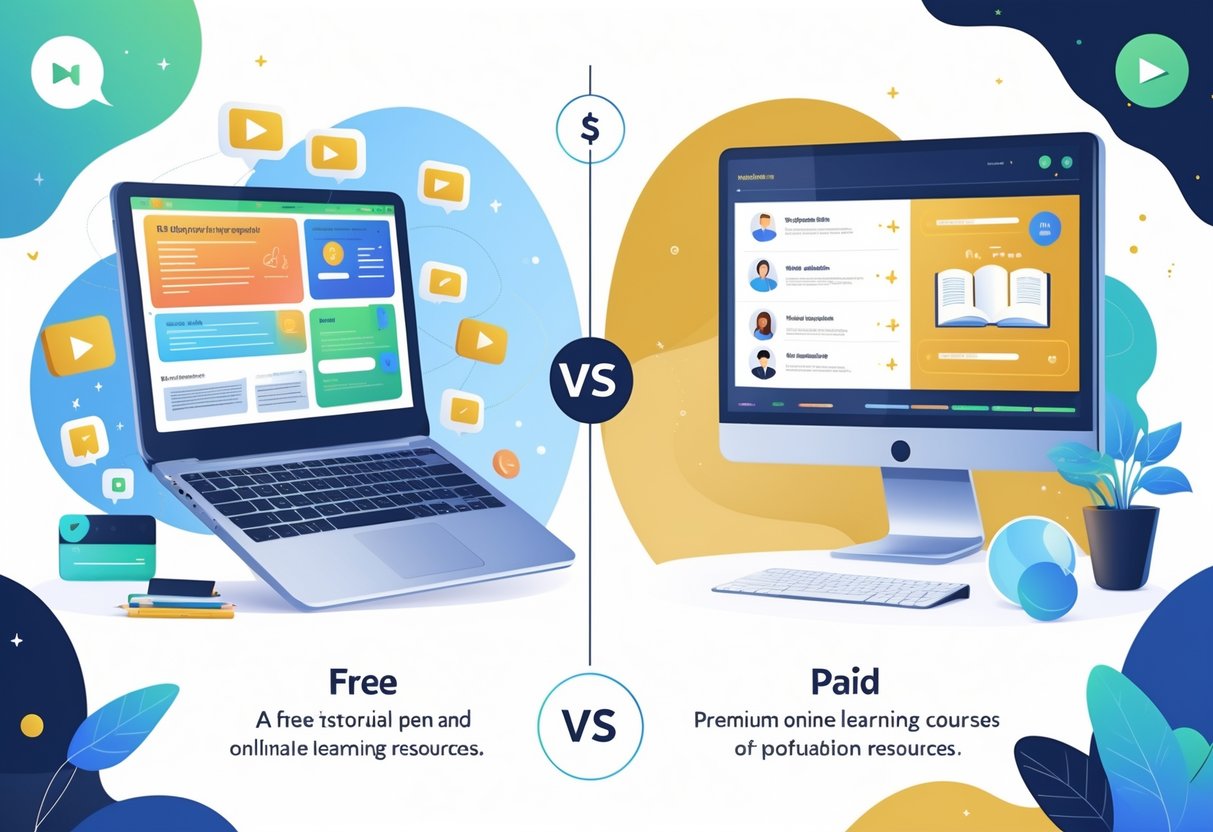
Free Vs Paid Online Learning Resources
Free platforms provide accessibility and broad content. Paid resources usually have structured curricula, certifications, and dedicated support. Choose based on your learning goals, budget, and need for formal recognition.
Evaluating Quality and Value
When you assess online learning resources, quality often relates to investment, but there are exceptions. Free platforms like Khan Academy and Coursera’s audit options give excellent foundational content, especially for beginners.
Quality indicators to consider:
• Content depth—Paid platforms usually cover more topics
• Instructor credentials—Premium courses often feature industry experts
• Production values—Professional video and interactive elements
• Assessment methods—Structured testing and feedback
Michelle Connolly notes, “The best free resources often match paid alternatives in content quality, but they may lack the structured progression that helps learners stay motivated and track their progress effectively.”
Free resources work well for exploring new subjects or filling knowledge gaps. For comprehensive professional development, paid options often offer better value through systematic paths and career-relevant skills.
Khan Academy excels in maths and sciences with clear explanations and practice exercises. Their mastery-based approach helps students progress at their own pace.
YouTube Education channels like Crash Course and TED-Ed offer engaging videos across many subjects. The visual format helps students who struggle with text-based learning.
Paid platforms offer benefits that justify their cost for serious learners and professional development.
Key benefits of premium resources:
• Structured learning paths with clear milestones
• Industry-recognised certifications
• Dedicated support through chat, forums, and mentorship
• Advanced features like progress tracking and personalised recommendations
Subscription-based platforms like LinkedIn Learning and Pluralsight provide large course libraries with regular updates. This keeps learners up to date with industry practices and new technologies.
Professional certifications from paid platforms carry more weight with employers. These credentials often require rigorous assessment and prove skills in specific areas.
Premium platforms usually offer better user experiences with easy interfaces, offline access, and mobile options. These features support consistent learning and fit busy schedules.
Paid resources become worthwhile when you want career advancement, qualifications, or comprehensive skill development.
Supporting Diverse Learners
Online teaching resources need flexibility to meet each student’s unique needs. Effective digital platforms combine specialised tools for special educational needs with inclusive design that benefits everyone.
Adapting Resources for SEND
Digital teaching resources offer flexibility for students with special educational needs and disabilities. Text-to-speech features turn written content into audio, helping students with dyslexia or visual impairments access the same material as others.
Many platforms now include adjustable font sizes and dyslexia-friendly typefaces like OpenDyslexic. You can customise colour schemes to reduce visual stress, with high contrast and blue light filters helping students with sensory processing difficulties.
Interactive video creation tools let you embed clickable hotspots, polls, and extra content into lessons. This multi-sensory approach supports different learning styles and keeps content engaging.
Michelle Connolly says, “The beauty of digital resources lies in their adaptability – the same lesson can be experienced visually, auditorily, or kinesthetically depending on each child’s needs.”
Add closed captions to all video content, even for hearing students. These supports help English language learners and students with attention difficulties.
Open educational resources (OER) provide opportunities for customisation without copyright restrictions. You can add local examples, translate materials, or include context that fits your students.
Use Universal Design for Learning principles when you choose resources. Pick platforms with multiple ways to represent content (visual, auditory, text), engage students (games, discussions, independent work), and let them express learning (typing, speaking, drawing).
Use diverse imagery showing children from different backgrounds
Provide multiple language options or translation tools
Include flexible assessment methods for different communication styles
Offer asynchronous forums for students who need more time
Student learning improves when resources recognise and celebrate diversity.
Frequently Asked Questions
Teachers often ask similar questions when searching for quality online teaching resources and figuring out how to use digital tools in their classrooms. Finding reliable, curriculum-aligned materials saves planning time and boosts student engagement.
What are some of the best websites for free teaching materials?
Several platforms offer high-quality free educational resources that match the UK curriculum. The BBC Bitesize website gives you comprehensive materials across all key stages.
Twinkl shares a selection of free downloads alongside their premium content. TES Resources features teacher-created materials you can download and adapt for your classroom.
Many experienced educators share worksheets, presentations, and activity ideas through this platform. Michelle Connolly, founder of LearningMole, says, “The best free resources often come from fellow teachers who understand the real challenges we face daily.”
She adds, “Quality matters more than quantity when choosing materials.” Open Educational Resources (OER) give you another option for accessing free teaching materials.
You can customise these resources to fit your specific classroom needs. Government websites like the Department for Education publish statutory guidance documents and curriculum frameworks.
These official resources help you align your teaching with current educational standards.
How can I access quality educational videos for my classroom?
YouTube Educational channels offer thousands of curriculum-linked videos across all subjects. Channels like Crash Course, TED-Ed, and National Geographic Kids create engaging content that captures student attention.
BBC iPlayer Educational programmes provide professionally produced content for your lesson planning. These videos often come with teacher notes and suggested activities to maximise learning.
Khan Academy presents structured video lessons that progress logically through topics. Students can watch these at their own pace, making them ideal for differentiated learning.
Create playlists of approved videos before lessons begin. This preparation keeps your lessons focused and prevents inappropriate content from appearing.
Many educational publishers include video content with their digital resources. Check your school’s subscriptions to see if you have access to multimedia materials you haven’t used yet.
Where can I find printables and workbooks for my teaching needs?
Teachers Pay Teachers connects you with educator-created resources from around the world. Many sellers offer free samples so you can test materials before buying full sets.
Educational publishers like Oxford University Press and Cambridge Assessment provide downloadable worksheets and activity sheets. These resources often match their published textbooks and align with curriculum requirements.
Subject-specific websites focus on particular learning areas. For mathematics, sites like Mathsframe offer printable games and activities.
Specialist literacy websites provide many phonics resources. Your local authority may give you access to shared resource banks.
Many councils maintain digital libraries of teaching materials that schools in their area can access for free. Pinterest serves as a discovery tool for printable resources.
Search with specific curriculum terms to find worksheets and activities that fit your teaching topics.
Can you suggest platforms that offer interactive learning tools for students?
Kahoot turns any lesson into an engaging quiz experience. You can create custom quizzes or choose from thousands of ready-made options.
Padlet supports collaborative learning through digital walls where students add ideas, images, and responses. This tool works well for brainstorming and group projects.
Scratch introduces programming concepts through drag-and-drop coding activities. Students create animations, games, and stories while building computational thinking skills.
Interactive whiteboards become more useful with tools like SMART Notebook or Promethean software. These platforms include subject-specific activities that enhance your presentations.
Virtual reality platforms like Google Expeditions take students to historical sites, inside human bodies, or across distant planets. These immersive experiences create memorable learning moments.
What are the top recommended resources for lesson planning and classroom activities?
Planboard offers lesson planning tools that sync across all your devices. You can drag and drop activities, attach resources, and share plans with colleagues or supply teachers.
The National Centre for Excellence in Teaching Mathematics provides detailed lesson plans and activities. These resources include clear learning objectives and differentiated tasks.
Pinterest boards dedicated to education share thousands of creative activity ideas. Search by year group and subject to find new approaches to familiar topics.
Online teaching resources from universities offer research-backed strategies for effective lesson delivery. These insights can enhance your teaching methods.
Subject association websites give specialist guidance and activities. For example, the Association for Science Education provides practical experiments and safety guidance for science teachers.
How do I integrate digital media into my teaching curriculum effectively?
Start small by replacing one traditional activity with a digital alternative each week. This gradual approach helps you avoid overwhelm and lets you see what works best for your students.
Use the SAMR model to choose digital tools: Substitution, Augmentation, Modification, and Redefinition. Focus on activities that change learning, not just digitize old methods.
Make sure every digital tool has a clear learning purpose. Use technology to improve learning, not just to keep students busy.
Teach students about digital citizenship along with academic content. Show them how to behave online, check sources, and understand creative commons licensing.
Prepare backup plans in case technology fails. Keep non-digital options ready for times when WiFi or devices do not work.
Balance screen time with hands-on activities. Give students different types of learning experiences to engage their senses and preferences.
Maths Circus, an innovative platform we've crafted, presents a captivating realm where children learn mathematics through the exciting theme of a circus. The joy of juggling numbers and solving circus...
The 9 times table multiplication has a reputation for being tricky, yet it holds more mathematical magic than any other table in the primary curriculum. Every answer follows two neat...
Article Summary What this article covers: Ten differences between river otters and sea otters, from size, fur and swimming style to diet, tool use and family life, plus which otter...
Article Summary What this article covers: The nine main types of natural disasters, how each one works and how they are measured, which hazards genuinely affect the UK, and how...






Leave a Reply