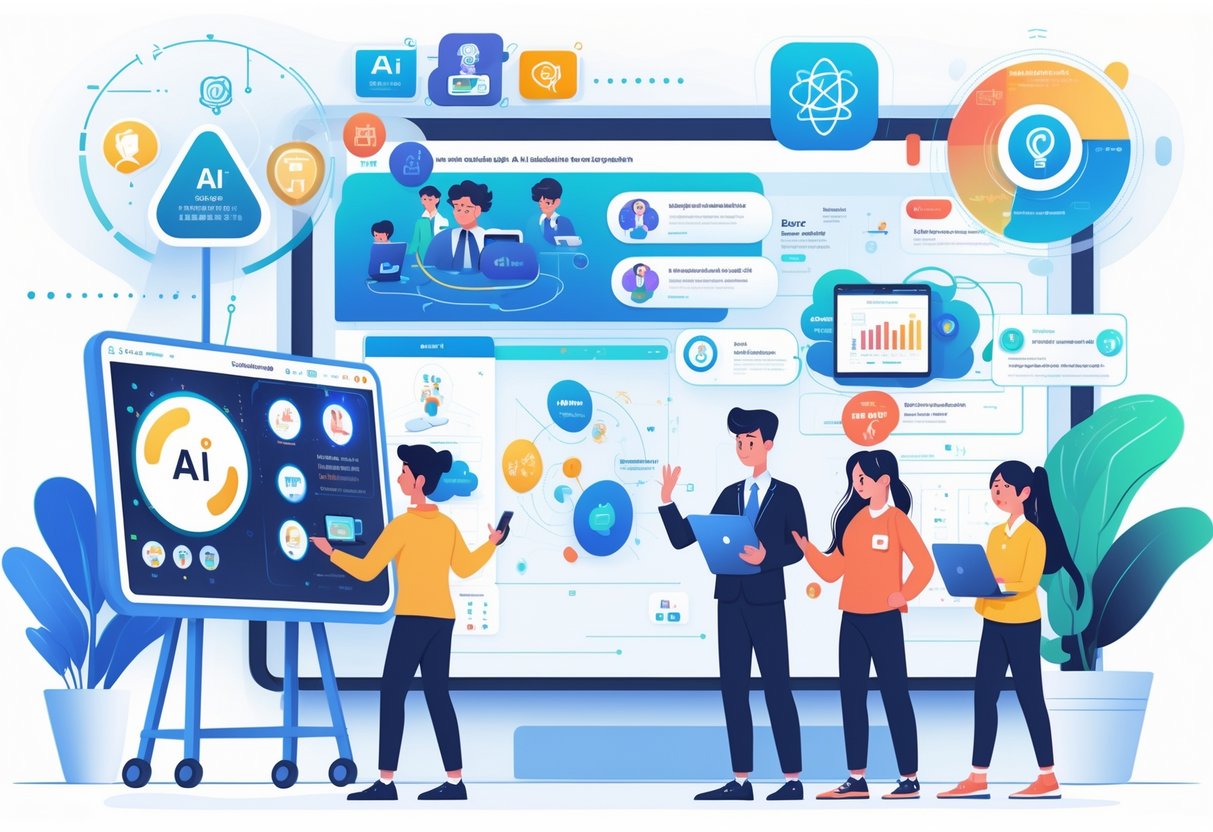
AI teaching tools use artificial intelligence to help teachers plan lessons, create materials, assess students, and manage classroom tasks.
These tools save hours of preparation time and personalise learning for each student.
Key Benefits for Educators
AI teaching tools save you time. You can generate lesson plans in minutes, create worksheets for different ability levels, and mark assignments automatically.
Michelle Connolly, founder of LearningMole, says, “AI tools are transforming how we approach differentiation in the classroom.” Teachers can now create multiple versions of the same activity for different learners much faster.
AI supports personalised learning. The software analyses student performance data and suggests which concepts need reinforcement or extension.
These AI teaching tools generate differentiated worksheets, create visual aids, and translate materials into different languages.
Many platforms provide real-time feedback on student work. This helps you spot learning gaps quickly.
AI improves administrative efficiency. You can automate report writing, track student progress, and generate parent updates with minimal effort.
How AI Is Transforming Teaching Roles
AI shifts your role from content creator to learning facilitator. Instead of spending evenings making resources, you can focus on building relationships and guiding student discussions.
AI allows you to use classroom time more strategically. With lesson materials generated automatically, you can respond to individual learning needs and foster critical thinking.
AI helps you spot learning difficulties earlier. The software analyses patterns in student work that might take weeks to notice manually.
For example, while students complete an online maths activity, AI tracks which problem types cause hesitation. You receive instant alerts about students struggling with specific concepts, so you can intervene right away.
AI supports collaborative planning. You can share AI-generated resources with colleagues, adapt materials from other teachers, and build on successful lesson templates.
Check which student information the platform stores, how long data stays on servers, and whether companies share information with third parties. Many AI tools for teachers offer education-specific privacy protections.
You need to maintain quality control. AI-generated content may contain factual errors or inappropriate suggestions, so human oversight remains necessary.
Always review AI-created materials before using them with students. Check for curriculum alignment, age-appropriate language, and cultural sensitivity.
Digital equity can be a concern. Not all students have reliable internet access or suitable devices for AI-enhanced learning.
Training is essential for effective use of AI in teaching. Ongoing professional development and technical support help staff use these tools well.
Types of AI Teaching Tools
AI tools for education fall into three main categories. These platforms handle content creation, streamline assessment, and manage collaboration tasks that often take up your preparation time.
Tools like ChatGPT and Microsoft Copilot act as your personal teaching assistants. You can generate quiz questions, create differentiated worksheets, or adapt materials for different learning levels.
Michelle Connolly explains that AI content creation tools have reduced preparation time while maintaining quality.
Visual content creation is easier with platforms like Canva Magic Classroom and Adobe Express with Firefly. These tools generate custom images, infographics, and presentations from simple text prompts.
AI-powered assessment tools change how you evaluate student progress. These platforms analyse student responses, provide instant feedback, and generate progress reports.
Automated marking systems handle multiple-choice questions, short answers, and essays. They identify common misconceptions and suggest interventions for struggling pupils.
Real-time feedback generators give students immediate responses to their work. This helps learners understand mistakes while the learning is still fresh.
AI analytics make progress tracking easy. The software identifies learning gaps across your class, so you can plan targeted revision and group students for support.
Collaboration and Scheduling Tools
AI scheduling assistants help you coordinate parent meetings, plan collaborative projects, and manage classroom timetables. These tools sync with your calendar and suggest optimal meeting times.
AI-powered communication platforms help you write professional emails to parents, generate progress reports, and create personalised feedback for students.
Project management tools organise group work, assign tasks automatically, and track collaborative progress. These platforms help every student contribute to team activities.
Personalised Learning with AI
AI creates unique learning experiences for each student. Adaptive pathways and real-time progress tracking address diverse learning needs and give teachers insights into student performance.
When you use adaptive learning systems, the AI checks how quickly students master concepts. If a pupil struggles with fractions, the system gives extra practice problems at a simpler level.
Michelle Connolly says, “AI personalisation means every child gets the right challenge at the right moment, preventing both boredom and frustration.”
These platforms create branching pathways through curriculum content. Stronger students can skip basic concepts and move to advanced topics. Learners who need more support get extra guidance and scaffolded activities.
AI monitoring systems track learning in ways traditional assessments cannot. These tools analyse every click, pause, and response to build detailed pictures of student understanding.
You can view dashboards showing which pupils struggle with specific topics. The data reveals patterns, such as students who rush through questions or those who need more thinking time.
Real-time analytics include:
Time spent on different question types
Common error patterns across the class
Engagement levels during video content
Prediction alerts for students at risk
Century Tech’s AI platform analyses performance down to each click and answer. It highlights struggling students on teacher dashboards so you can act quickly.
The AI predicts when students might fall behind before it happens. This early warning system lets you support students while gaps are still small.
For SEN pupils, AI can provide specific accommodations:
Learning Need
AI Solution
Dyslexia
Text-to-speech, font adjustments, reading support
ADHD
Shorter task chunks, movement breaks, focus reminders
Processing difficulties
Extended time, simplified instructions, visual cues
Tools like Khan Academy’s Khanmigo use Socratic questioning to guide students toward answers. This approach builds critical thinking and supports different learning approaches.
Modern AI teaching tools turn static lessons into dynamic learning experiences. Gamified elements, instant feedback, and interactive content adapt to student needs in real time.
Utilising Gamification
AI-powered gamification tools make learning feel like play. These platforms create point systems, badges, and leaderboards that motivate students with little setup.
Quizizz is a great example of effective educational gamification. The platform uses AI to generate quiz questions from your lesson content and creates games that students enjoy.
Michelle Connolly says, “When you add game elements, you’re not just entertaining students—you’re building emotional connections to learning.”
Key gamification features include:
Progress tracking with visual advancement
Achievement systems with meaningful rewards
Team challenges for collaboration
Personalised difficulty that adapts to each learner
Immediate feedback helps students learn by correcting misconceptions right away. AI tools now provide instant responses that would be impossible to deliver manually for every student.
Modern platforms analyse student responses as they work, offering hints and corrections on the spot. This helps struggling learners catch up and challenges advanced students at the right level.
Live polling systems let you check understanding instantly during lessons. If most of your class selects the wrong answer, you know to revisit that topic immediately.
The best tools connect with your current learning management system. This allows you to deliver lessons easily and track engagement through analytics.
Students access these activities through familiar platforms. You can view detailed analytics to monitor participation.
Try using choice-based learning paths so students select their next activity based on interests or confidence. Personalisation increases motivation and ensures you cover the curriculum for all learners.
Prominent AI Tools for Teachers
These platforms help with lesson planning, student assessment, and writing instruction. They automate time-consuming tasks and boost classroom engagement.
The free version includes basic paraphrasing and grammar checking. Premium plans (£9.95 monthly) add unlimited paraphrasing and plagiarism detection.
Teaching Applications:
Help students rephrase complex ideas in their own words
Support EAL learners with sentence structure
Assist teachers in creating varied explanations of tough topics
Make alternative versions of worksheets and instructions
Teachers value Quillbot’s ability to support academic integrity while helping students express themselves. The tool teaches proper paraphrasing instead of just giving answers.
Generative AI platforms from companies like OpenAI can create lesson content and activities based on your needs. These tools help you make customised resources that fit your students and curriculum.
Automating Lesson Content
Generative AI tools speed up lesson planning by making structured content from simple prompts. You can enter your topic, year group, and objectives to receive lesson frameworks in minutes.
These platforms generate learning objectives, success criteria, and assessment measures automatically. Eduaide offers over 150 AI generators for educational tasks.
Popular automated features include:
Curriculum-aligned lesson structures
Differentiated content for different ability levels
Extension activities and starter tasks
Homework assignments and follow-up questions
The main advantage is speed. Planning that once took hours now takes minutes, giving you more time to personalise lessons.
You can make debate activities, character chats with historical figures, and real-world maths problems quickly. These tools adjust content complexity for your year group.
The technology also makes worksheets, rubrics, and assessment materials. This ensures lesson components match your objectives and quality standards.
Improving Writing and Language Skills
AI tools help students write better by fixing grammar mistakes and checking for plagiarism in real time. These technologies give instant feedback that helps learners improve quickly.
Grammar and Style Enhancement
AI-powered writing tools change how students learn grammar and writing style. Tools like Grammarly and QuillBot check text instantly and suggest corrections for errors and awkward phrasing.
These platforms do more than spell-checking. They explain changes and offer alternative words to improve clarity.
Michelle Connolly, founder of LearningMole, says, “AI writing tools act as personalised writing tutors, giving students the confidence to express ideas clearly while learning grammar rules.”
AI-powered plagiarism detection helps maintain academic integrity. These systems scan student work against online sources and databases to find copied content.
Modern detection tools use machine learning to spot paraphrased content and odd writing patterns. They provide reports showing matches with percentage scores.
Teachers use these tools to check assignments before final submission. This helps students learn proper citation and original writing skills.
The technology also spots AI-generated content, addressing concerns about students using text generators. AI tools in teaching and learning help maintain academic integrity while using helpful technology.
Detection features include:
Real-time scanning during writing
Citation help for proper sourcing
Originality scores with explanations
Writing pattern analysis for inconsistencies
AI for Assessment and Grading
AI assessment tools change how teachers evaluate student work. They automate routine marking and provide instant, detailed feedback.
These technologies help you maintain grading standards and save time for personal instruction.
Automated Marking Tools
Modern AI grading tools for teachers handle multiple-choice quizzes and essay assessments. Tools like Kangaroos AI and Turnitin offer rubrics for consistent marking.
Essay graders – Check writing quality, structure, and content
Coding assessments – Review programming assignments for function and style
Math problem solvers – Evaluate steps and answers
Language assessments – Score grammar, vocabulary, and comprehension
Michelle Connolly says, “AI marking tools enhance teacher judgement by handling routine assessments, letting teachers focus on meaningful feedback.”
Best AI assessment tools can process handwritten work using optical character recognition. You can scan worksheets and get instant feedback on student responses.
Providing Timely Feedback
AI tools give immediate feedback so students understand mistakes while concepts are fresh. Pupils receive explanations and improvement tips within minutes.
Key feedback features:
Instant error identification with explanations
Personalised suggestions based on mistakes
Progress tracking to show improvement
Multi-format support for text, images, and digital submissions
The technology adjusts feedback complexity for each student. Younger pupils receive simpler explanations than older students for similar errors.
AI grading tools save time and keep feedback detailed. Many teachers find that automated feedback often gives more thorough explanations than handwritten comments.
Reducing Educator Workload
Teachers spend about 5-10 hours each week on marking and assessment tasks. AI tools can cut this workload by 60-80% for routine assessments, freeing up time for lesson planning and student interaction.
Time-saving benefits:
Task
Traditional Time
AI-Assisted Time
Time Saved
Essay marking (30 papers)
6 hours
2 hours
4 hours
Quiz grading (100 responses)
3 hours
15 minutes
2.75 hours
Feedback writing
4 hours
1 hour
3 hours
AI assessment tools for schools allow you to handle bulk uploads efficiently. You can process entire class sets at once instead of marking individual papers one by one.
The technology keeps detailed records of student progress automatically. You no longer need to enter data manually, and you get comprehensive analytics for parent meetings and progress reports.
Many free AI tools for teachers offer strong features without subscription costs. These tools are great starting points for schools exploring AI assessment options.
Data-Driven Insights and Analytics
AI in education turns raw student data into useful teaching strategies by analysing learning patterns. These systems help you spot struggling learners early and make better curriculum choices.
Analysing Learning Trends
AI analytics tools look at your students’ work patterns, quiz results, and engagement levels to uncover learning trends. You can quickly see which concepts are difficult for your class and identify students who need extra support before they fall behind.
Michelle Connolly, an educational technology expert, says, “The power of AI analytics lies not in the data itself, but in how it helps teachers understand each child’s unique learning journey and respond accordingly.
These insights help you adjust your teaching in real-time. For example, if most students struggle with fractions but do well in geometry, you can spend more time on fractions.
The data also shows when individual students learn best. Some children do better with maths in the morning, while others focus better after lunch.
Supporting Evidence-Based Decisions
Artificial intelligence in education gives you solid evidence to support your teaching choices. You can justify curriculum changes, grouping strategies, and intervention programs with real data.
When you plan lessons, AI insights show which teaching methods work best for your class. The technology analyses successful outcomes and suggests similar approaches for new topics.
Decision-Making Areas:
Grouping strategies – Data shows the best team combinations
Resource allocation – Analytics reveal which materials work best
Intervention timing – Systems predict when students need extra help
Assessment frequency – Tools recommend the best testing schedules
This approach helps you communicate clearly with parents and school leaders. You can show student progress with clear data and explain your teaching choices.
The analytics also highlight which of your teaching strategies work best across different student groups.
Accessibility and Inclusion in Education
AI teaching tools remove learning barriers and create equal opportunities for all students. These technologies offer personalised support and adapt to different learning styles, languages, and abilities.
Removing Barriers for Learners
You can use AI to support students with diverse learning needs. These tools analyse individual learning patterns and adjust content difficulty automatically.
Visual learners benefit from AI-powered image recognition that turns text into visual diagrams. Students who struggle with reading can listen to audio versions of materials through text-to-speech systems.
Michelle Connolly, founder of LearningMole, says, “AI tools allow us to personalise learning in ways we never thought possible, ensuring every child can access the curriculum at their own pace.”
AI accessibility in education helps students with disabilities engage more fully with learning materials. Voice recognition software lets students with motor difficulties complete written assignments by speaking.
You can introduce these tools gradually, starting with one feature and adding more based on student needs.
Multi-Language Support
AI language tools help you support students who speak English as an additional language. Real-time translation features enable instant communication with multilingual families.
Smart translation systems keep the educational context instead of giving only literal translations. Technical terms and subject vocabulary translate accurately for science, maths, and humanities lessons.
Students can submit work in their home language, and AI provides English translations for you to review. This keeps academic standards high and builds student confidence.
You can use AI chatbots that speak multiple languages for classroom information. Parents can ask questions about school events, homework, or progress updates.
Assistive Technologies with AI
AI-driven assistive technologies change how you support students with physical, cognitive, and sensory disabilities. Smart screen readers now understand context and describe images in detail.
Voice assistants help students with motor difficulties control computers, tablets, and whiteboards by voice. These tools learn each student’s speech patterns and get more accurate over time.
Advanced AI assistive features:
Technology Type
Student Benefit
Classroom Application
Smart screen readers
Better content understanding
Audio textbooks and worksheets
Voice recognition
Hands-free computer use
Dictated essays and assignments
Predictive text
Faster writing
Less typing fatigue
Eye-tracking systems
Computer control by gaze
Interactive learning software
Natural Language Processing helps students with dyslexia by highlighting complex sentences and suggesting simpler ones. Grammar checkers give instant feedback without overwhelming students.
You can customise these AI tools for each student. Settings adjust automatically based on performance data, so students get the right support without constant manual changes.
Teachers need clear guidelines for academic honesty, ethical AI use, and teaching students good digital habits when using AI in the classroom.
Maintaining Academic Integrity
Academic integrity is key when using AI in education. Set clear rules about when and how students may use AI tools for assignments.
Create specific policies for each assignment type. For writing tasks, allow AI for brainstorming but require students to write their own work. For research projects, let students use AI for topic ideas but require them to check sources themselves.
Michelle Connolly, founder of LearningMole, says, “Teachers need to be transparent about AI boundaries from the start. Clear expectations help students understand the difference between AI assistance and AI dependence.”
Essential Academic Integrity Rules:
Students must state when they’ve used AI tools
Original thinking should be the main focus
AI-generated content needs proper attribution
Plagiarism policies must cover AI-generated text
Teach students to use AI as a research assistant, not a replacement for critical thinking. AI tools can generate lesson plan variations, but students must show their own understanding and analysis.
Ensuring Ethical AI Use
You need to understand both the strengths and limits of AI in education to use it ethically. Address bias, privacy, and proper use with your students.
Talk about AI bias openly. AI systems can reflect societal prejudices. Teach students to question AI outputs and look for multiple viewpoints on tough topics.
Show ethical behaviour by telling students when you’ve used AI for lesson planning or creating resources. Being open builds trust and teaches students good AI habits.
Fostering Responsible Digital Citizenship
As AI tools become more common, digital citizenship skills become more important. Teach students to think critically and develop AI literacy.
Show students how to fact-check AI outputs. AI can create convincing but wrong information, especially about recent events or specialised topics. Use classroom exercises where students verify AI claims with reliable sources.
Digital Citizenship Skills for AI:
Spotting AI-generated content
Knowing AI’s limits and errors
Respecting intellectual property rights
Checking information credibility
Responsible AI integration includes teaching when NOT to use AI tools. Creative writing, personal reflection, and problem-solving often work best without AI.
Help students build a balanced relationship with AI. They should see AI as a tool that needs human oversight, creativity, and ethical use.
Emerging Trends in AI Teaching Tools
Artificial intelligence is quickly changing to offer more personalised and interactive educational experiences. The use of advanced machine learning and new technologies is opening up new possibilities for classroom teaching and student engagement.
Advanced Personalisation is becoming a key feature of AI teaching tools. Future systems will analyse your students’ learning patterns in real-time and adjust content difficulty and style automatically. These tools will notice if a pupil struggles with visual learning and switch to audio-based explanations.
Michelle Connolly, founder of LearningMole, says, “The next generation of AI tools will understand each child’s unique learning journey, adapting not just content but teaching methods to match individual needs.”
Predictive Analytics will help you spot learning gaps before they grow. These systems will flag pupils at risk of falling behind and suggest targeted interventions based on what worked for similar learners.
Voice Recognition Technology has become more accurate. Students can practise pronunciation and receive immediate feedback.
These tools now recognise regional accents and speech patterns. They are becoming more inclusive for diverse classrooms.
Augmented Reality Integration with AI creates immersive learning experiences. You can overlay historical events onto your classroom or bring extinct animals to life during science lessons.
These tools adjust the complexity of information to suit each student’s age and understanding level. This ensures lessons remain accessible and engaging.
Real-time Assessment Tools now provide instant feedback on student work. AI analyses writing quality, grammar, and comprehension while pupils work, offering suggestions for improvement.
OpenAI and similar companies develop advanced language models that generate age-appropriate content. These models help create differentiated worksheets and suggest lesson extensions based on your class’s interests and abilities.
Frequently Asked Questions
Teachers often seek practical answers about implementing AI tools in their classrooms. These questions address common concerns when starting the AI journey.
What are some excellent free AI tools available for educators?
ChatGPT provides unlimited access to conversation-based AI. You can brainstorm lesson ideas, explain complex topics, create discussion questions, and generate writing prompts for any subject.
Google’s Bard offers similar capabilities and integrates well with Google Workspace tools. This is helpful if your school uses Google Classroom and Google Docs.
Canva’s AI features let you design visual materials quickly. You can create infographics, posters, and slides without advanced design skills.
Grammarly gives writing feedback for you and your students. The free version checks basic errors and suggests ways to improve clarity and tone.
Michelle Connolly, founder of LearningMole, says: “Free AI tools can transform your teaching practice without straining your budget. The key is choosing tools that solve specific problems you face daily.”
How can teachers incorporate AI into their lesson planning?
Use AI to generate initial lesson outlines based on your curriculum objectives. Input your learning goals and age group to receive structured plans, then customise them for your class.
AI can create differentiated activities for mixed-ability groups. Describe your students’ levels and the AI suggests modifications to challenge advanced learners and support those who need extra help.
AI tools for teaching generate quiz questions, discussion prompts, and assessment rubrics quickly. This saves planning time for more student interaction and feedback.
You can also use AI to research and summarise complex topics before teaching them. This helps you prepare clear explanations and anticipate student questions.
Can AI be used to create personalised learning experiences for students?
AI adjusts content difficulty based on each student’s performance and learning pace. Students receive customised practice problems that match their skill level.
Intelligent tutoring systems provide immediate feedback on student work. Learners can correct mistakes while the content is still fresh in their minds.
AI generates alternative explanations for difficult concepts. If your initial approach doesn’t work for some students, AI offers different ways to present the information.
Personalised learning through AI supports various learning styles. Students can access visual, auditory, or kinesthetic versions of the same content.
What are the benefits of using AI in the classroom for both students and teachers?
Teachers save time on routine tasks like creating worksheets, generating quiz questions, and providing initial feedback on writing. This frees up time for meaningful interactions with students.
Students get immediate feedback on their work. Quick corrections help them learn from mistakes while the material is still relevant.
AI is available 24/7 for student questions and support. Learners can get help with homework or difficult concepts, even outside school hours.
The technology provides consistent support for students with additional needs. AI can repeat explanations as many times as necessary without judgment.
Where can teachers find resources and training for implementing AI teaching tools?
Microsoft Education offers comprehensive AI training for educators through free learning paths. These courses focus on practical implementation strategies.
Many universities now provide “Teaching with AI” courses that cover ethical use and practical applications. These programmes help educators understand both opportunities and limitations.
Professional development resources from education technology companies include webinars, tutorials, and hands-on workshops for teachers.
Local education authorities often organise AI training sessions for schools. Contact your LEA to learn about upcoming professional development opportunities in your area.
How does AI technology support different learning styles and abilities in the classroom?
Visual learners benefit from AI-generated diagrams, mind maps, and infographics. These tools illustrate complex concepts and make abstract ideas easier to understand.
Auditory learners use AI-powered text-to-speech tools that read content aloud. Some systems let students have conversations with AI tutors to support verbal learning.
Students with reading difficulties access AI tools that simplify text while keeping the main ideas clear. This helps them understand the same curriculum as their peers at a suitable reading level.
AI translation tools provide explanations in a student’s first language along with English content. This helps multilingual learners understand lessons while they build English skills.
AI systems offer patient, repeated explanations or practice for students who need extra help. These tools give the same support every time a student asks for assistance.
Maths Circus, an innovative platform we've crafted, presents a captivating realm where children learn mathematics through the exciting theme of a circus. The joy of juggling numbers and solving circus...
Article Summary What this article covers: Three literacy games for kids that build spelling, letter formation, phonics and vocabulary through movement, touch and play, with adaptations for KS1 and KS2...
Article Summary What this article covers: Facts about Saturn for kids, including its structure, atmosphere, hexagon storm, rings and record-breaking moons, the Cassini mission and classroom activities, all linked to...
Article Summary What this article covers: How primary children become confident maths problem solvers, from the seven core mental maths strategies to the RUCSAC method for word problems and six...








Leave a Reply